GCC 15 defaults to C23: what breaks and how to fix it
GCC 15 compiles C as C23 by default: typedef int bool, f() declarations and parameterless function pointers now fail. The exact errors and how to fix each.
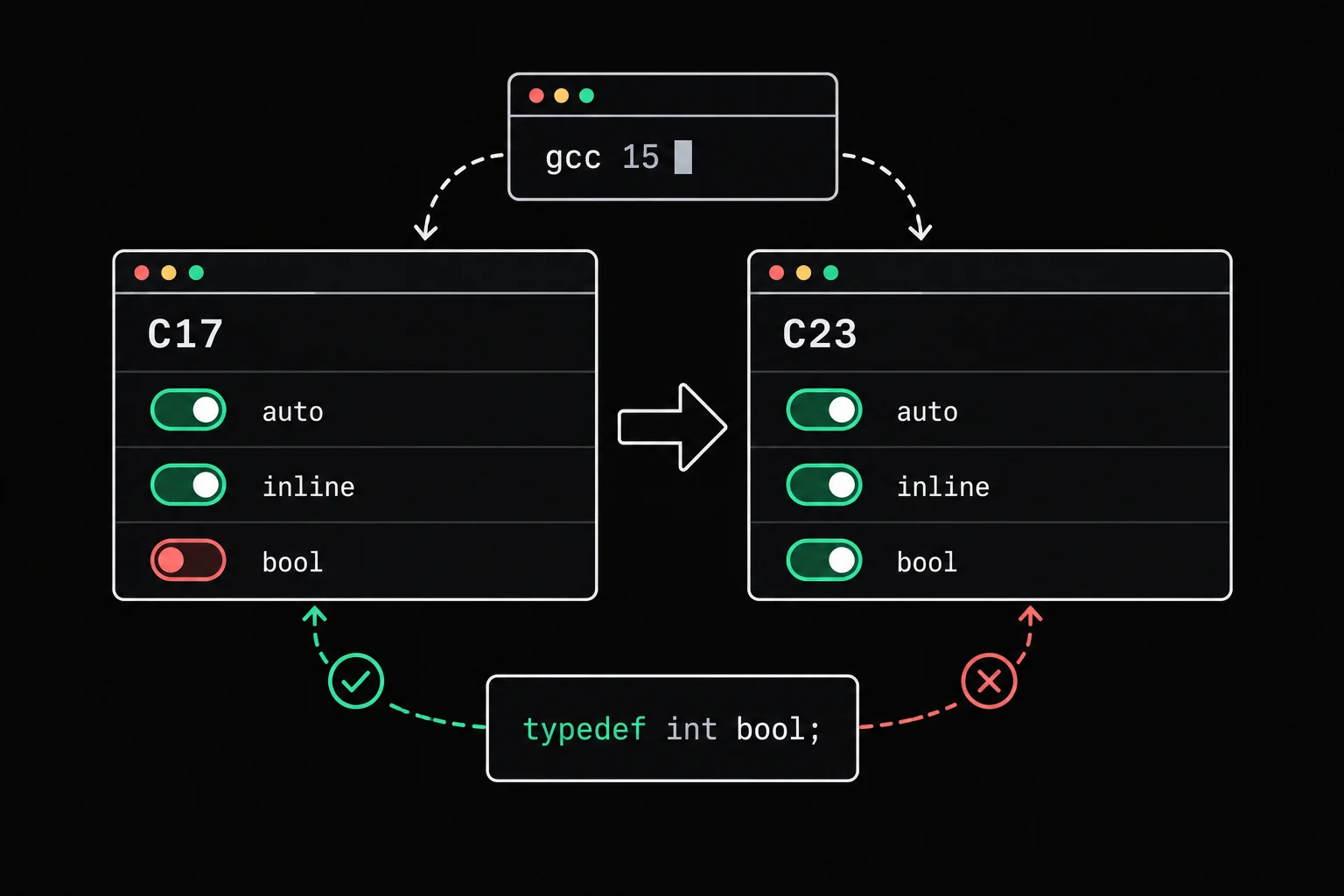
Your project used to build without a single warning. After a GCC upgrade it stops on 'bool' cannot be defined via 'typedef' or too many arguments to function, in files nobody has touched for months. Your code is the same. GCC isn't: it now compiles against a different version of the language by default.
In short
Since GCC 15 (15.1 was released on April 25, 2025), C is compiled as -std=gnu23 by default instead of -std=gnu17. Three C23 changes break older code: bool, true and false become keywords, so typedef int bool; is rejected; a declaration like int f(); now means "no parameters", so f(1) fails with too many arguments to function; and a function pointer declared as void (*cb)() no longer accepts a function that takes parameters. The fix is to write full prototypes and use the language's own bool. Until you get there, -std=gnu17 restores the old behavior.
Which version of C is your compiler using?
The __STDC_VERSION__ macro tells you. The compiler defines it with a different value for each version of the standard:
#include <stdio.h>
int main(void){ printf("%ld\n", __STDC_VERSION__); return 0;}$ gcc --version | head -1gcc (GCC) 15.3.0$ gcc version.c -o version && ./version202311$ gcc -std=gnu17 version.c -o version && ./version201710202311 means C23, the edition of ISO/IEC 9899 published at the end of 2024. With -std=gnu17 you get 201710, the value for C17. Older values include 199901 for C99 and 201112 for C11. The terminal in Grademe exercises, which runs GCC 15.2 on Alpine, also prints 202311 with no option.
To check without writing a program, ask the preprocessor for its list of predefined macros:
$ gcc -dM -E -x c /dev/null | grep STDC_VERSION#define __STDC_VERSION__ 202311LThe gnu in gnu23 means "C23 plus GCC's extensions", as opposed to the stricter -std=c23 (the gcc(1) entry sums up the -std= options). The three changes below come from C23 itself, so they break in both modes.
'bool' cannot be defined via 'typedef'
Before C99, C had no boolean type, and plenty of projects defined their own. C99 added _Bool and the <stdbool.h> header, which provided bool, true and false as macros. C23 turns them into real keywords, on the same footing as int, so you can no longer redefine them:
#include <stdio.h>
typedef int bool;#define true 1#define false 0
int main(void){    bool done = false;
printf("%d\n", done); return 0;}$ gcc -Wall -Wextra boolean.c -o booleanboolean.c:3:13: error: 'bool' cannot be defined via 'typedef' 3 | typedef int bool; | ^~~~boolean.c:3:13: note: 'bool' is a keyword with '-std=c23' onwardsboolean.c:3:1: warning: useless type name in empty declaration 3 | typedef int bool; | ^~~~~~~The other version you run into in old projects, an enum, fails one step earlier:
$ gcc -Wall -Wextra enumbool.c -o enumboolenumbool.c:3:16: error: cannot use keyword 'false' as enumeration constant 3 | typedef enum { false, true } bool; | ^~~~~enumbool.c:3:16: note: 'false' is a keyword with '-std=c23' onwardsenumbool.c:3:30: error: expected ';', identifier or '(' before 'bool' 3 | typedef enum { false, true } bool; | ^~~~enumbool.c:3:30: warning: useless type name in empty declarationThe fix is a one-liner: delete your definition and include <stdbool.h>. In C23 the header does nothing, but it doesn't get in the way either, and the same file then compiles as C99, C17 and C23:
#include <stdio.h>
typedef int bool;#define true 1#define false 0#include <stdbool.h>#include <stdio.h>$ gcc -Wall -Wextra boolean_ok.c -o boolean_ok && ./boolean_ok0$ gcc -std=c99 -Wall -Wextra boolean_ok.c -o boolean_ok && ./boolean_ok0The GCC documentation adds a word of caution: bool and int are not the same type at the ABI level, the convention that fixes how data is sized and passed between separately compiled files. If your homemade bool crossed a binary boundary, such as a struct written to a file or a library that was already compiled, check that the type change doesn't alter the size or layout of that data.
bool, true and false aren't the only new keywords. C23 also reserves alignas, alignof, constexpr, nullptr, static_assert, thread_local, typeof and typeof_unqual. A variable or function that uses one of those names no longer compiles.
too many arguments to function: the end of f() declarations
Up to C17, int square(); declared a function without saying anything about its parameters: the compiler accepted any call and checked nothing. In C23, empty parentheses mean "no parameters", exactly like (void). A call with an argument becomes an error:
#include <stdio.h>
int square();
int main(void){    printf("%d\n", square(7));    return 0;}
int square(int n){ return n * n;}$ gcc -Wall -Wextra empty.c -o emptyempty.c: In function 'main':empty.c:7:20: error: too many arguments to function 'square'; expected 0, have 1 7 | printf("%d\n", square(7)); | ^~~~~~ ~empty.c:3:5: note: declared here 3 | int square(); | ^~~~~~empty.c: At top level:empty.c:11:5: error: conflicting types for 'square'; have 'int(int)' 11 | int square(int n) | ^~~~~~empty.c:3:5: note: previous declaration of 'square' with type 'int(void)' 3 | int square(); | ^~~~~~The last note says it all: int square(); now has the type int(void). The fix is to write the full prototype, int square(int n);, which has been good practice since C89:
$ gcc -Wall -Wextra empty_ok.c -o empty_ok && ./empty_ok49Declarations like this often hide in old headers, as hand-written lines such as char *strstr(); or void *malloc(); instead of an include of the standard header. In that case, delete the line and include the right header. Errors on calls with no declaration at all go back to GCC 14; they're covered in implicit declaration of function.
Function pointers declared with ()
The same rule applies to function pointers. void (*callback)() used to mean "a pointer to a function that returns void", whatever its parameters. In C23 it points to a function that takes no parameters, which is incompatible with a function that expects one:
#include <stdio.h>
void say(const char *word){    printf("%s\n", word);}
int main(void){    void (*callback)() = say;
callback("hello"); return 0;}$ gcc -Wall -Wextra callback.c -o callbackcallback.c: In function 'main':callback.c:10:26: error: initialization of 'void (*)(void)' from incompatible pointer type 'void (*)(const char *)' [-Wincompatible-pointer-types] 10 | void (*callback)() = say; | ^~~callback.c:3:6: note: 'say' declared here 3 | void say(const char *word) | ^~~callback.c:12:5: error: too many arguments to function 'callback'; expected 0, have 1 12 | callback("hello"); | ^~~~~~~~ ~~~~~~~One bad line, two errors: the initialization, then the call. The fix is to spell out the pointer's full type, void (*callback)(const char *) = say;.
A classic case, cited in the GCC documentation, is the signal handler. signal() returns the previous handler, a function that receives the signal number:
#include <signal.h>#include <stdio.h>
int main(void){    void (*old)();
old = signal(SIGINT, SIG_IGN); printf("%s\n", old == SIG_DFL ? "SIG_DFL" : "other"); return 0;}$ gcc -Wall -Wextra sig.c -o sigsig.c: In function 'main':sig.c:8:9: error: assignment to 'void (*)(void)' from incompatible pointer type '__sighandler_t' {aka 'void (*)(int)'} [-Wincompatible-pointer-types] 8 | old = signal(SIGINT, SIG_IGN); | ^In file included from sig.c:1:/usr/include/signal.h:72:16: note: '__sighandler_t' declared here 72 | typedef void (*__sighandler_t) (int); | ^~~~~~~~~~~~~~sig.c:9:24: warning: comparison of distinct pointer types lacks a cast [-Wcompare-distinct-pointer-types] 9 | printf("%s\n", old == SIG_DFL ? "SIG_DFL" : "other"); | ^~GCC's note gives you the expected type: void (*)(int). Declare void (*old)(int); and the program compiles and prints SIG_DFL. The message points at /usr/include/signal.h, glibc's header; with another C library the type's name changes, the fix doesn't.

list_apply
list_apply walks a linked list and calls a function, passed in as a parameter, on each node's data. Its prototype requires void (*f)(void *): a chance to write out a function pointer's full type and put it to use.
What about old-style K&R definitions?
C23 also removes old-style function definitions, where the parameter types sit between the closing parenthesis and the opening brace. GCC 15 still accepts them in its default mode, with a warning that shows up even without any option (it stayed silent in gnu17). Only strict mode rejects them:
#include <stdio.h>
int sum(a, b)    int a;    int b;{    return a + b;}
int main(void){ printf("%d\n", sum(2, 3)); return 0;}$ gcc -Wall -Wextra kr.c -o krkr.c: In function 'sum':kr.c:3:5: warning: old-style function definition [-Wold-style-definition] 3 | int sum(a, b) | ^~~$ gcc -std=c23 -pedantic-errors kr.c -o krkr.c: In function 'sum':kr.c:3:5: error: old-style function definition [-Wold-style-definition] 3 | int sum(a, b) | ^~~Nothing stops the build, then, but this code is no longer valid C23. Rewrite it as int sum(int a, int b).
With -Werror: two warnings that arrived in GCC 15
If your project builds with -Werror, two warnings introduced in GCC 15 can also break the build. The first, -Wunterminated-string-initialization, enabled by -Wextra, flags a char array exactly as long as the string that initializes it, which leaves no room for the terminating '\0':
$ gcc -Wall -Wextra code.c -o code && ./codecode.c: In function 'main':code.c:5:20: warning: initializer-string for array of 'char' truncates NUL terminator but destination lacks 'nonstring' attribute (5 chars into 4 available) [-Wunterminated-string-initialization] 5 | char code[4] = "ABCD"; | ^~~~~~ABCDThe standard allows it, but code isn't a string: strlen or printf("%s") would read past the end of the array. If you meant a string, write char code[] = "ABCD"; and let the compiler count the '\0'. If you really want four bytes with no terminator, the nonstring attribute the message mentions, __attribute__((nonstring)), silences the warning. The article on strings in C goes back over that '\0'.
The second, -Wheader-guard, enabled by -Wall, catches a typo in an include guard:
$ gcc -Wall -Wextra -c guard.cIn file included from guard.c:1:guard.h:1: warning: header guard 'GUARD_H' followed by '#define' of a different macro [-Wheader-guard] 1 | #ifndef GUARD_Hguard.h:2: note: 'GUARD_HH' is defined here; did you mean 'GUARD_H'? 2 | #define GUARD_HHSince GUARD_H is never defined, the guard was protecting nothing. Fix this one instead of turning it off.
Temporary workaround: -std=gnu17
When you can't fix the code right away, in a third-party library for example, -std=gnu17 brings back GCC 14's default mode. The three files rejected above compile and run:
$ gcc -std=gnu17 -Wall -Wextra boolean.c -o boolean && ./boolean0$ gcc -std=gnu17 -Wall -Wextra empty.c -o empty && ./empty49$ gcc -std=gnu17 -Wall -Wextra callback.c -o callback && ./callbackhelloPut the option in your Makefile's CFLAGS rather than counting on everyone to remember it. The downside: in gnu17 you lose C23, starting with nullptr.
$ gcc -std=gnu17 -Wall -Wextra null.c -o nullnull.c: In function 'main':null.c:5:14: error: 'nullptr' undeclared (first use in this function) 5 | int *p = nullptr; | ^~~~~~~null.c:5:14: note: each undeclared identifier is reported only once for each function it appears inTo migrate a project for good, go in three steps:
Compile with
-std=gnu17 -Wall -Wextra -Wstrict-prototypesfirst. That last warning,function declaration isn't a prototype, points at everyf()declaration whose meaning will change in C23.Replace each
()with the parameter list, or with(void)if the function really takes none, and each homemadeboolwith<stdbool.h>.Remove
-std=gnu17and rebuild with GCC 15. Whatever is left to fix is a name that collides with one of the new keywords.
Here is step 1 at work on empty.c from earlier:
$ gcc -std=gnu17 -Wall -Wextra -Wstrict-prototypes -c empty.cempty.c:3:1: warning: function declaration isn't a prototype [-Wstrict-prototypes] 3 | int square(); | ^~~What C23 adds, from nullptr to constexpr by way of typeof and #embed, is shown with examples in C23's new features.
Frequently asked questions
Do I still need to include <stdbool.h>?
In C23, no: bool, true and false are keywords. But including it costs nothing and keeps your code building with a compiler set to C99 or C17. For a project that has to compile everywhere, keep it.
My code compiles on my machine but not on a classmate's. Why?
If your code uses C23 (nullptr, bool without the header, constexpr) and their GCC is older than version 15, their compiler defaults to gnu17, or to an even older mode. Add -std=c23 to the command: the option exists since GCC 14 (before that it was spelled -std=c2x). It goes the other way too: old code can compile on their machine and break on yours with GCC 15.
-std=c23 or -std=gnu23?
-std=gnu23 is GCC 15's default and turns on all of GCC's extensions. -std=c23 only turns off the ones that conflict with the standard: case ranges in a switch, for example, still go through without a word. To learn the language as the standard defines it, -std=c23 -Wpedantic also flags those extensions.
How do I tell which standard a -std= option selects?
Print __STDC_VERSION__: gcc -std=gnu17 -dM -E -x c /dev/null | grep STDC_VERSION answers 201710L. With no option, GCC 15 answers 202311L.
Sources