Python dictionary insertion order, sorting, and equality
Understand Python dictionary order: updating values, deleting and reinserting keys, sorting results, and checking order when dict equality misses the difference.
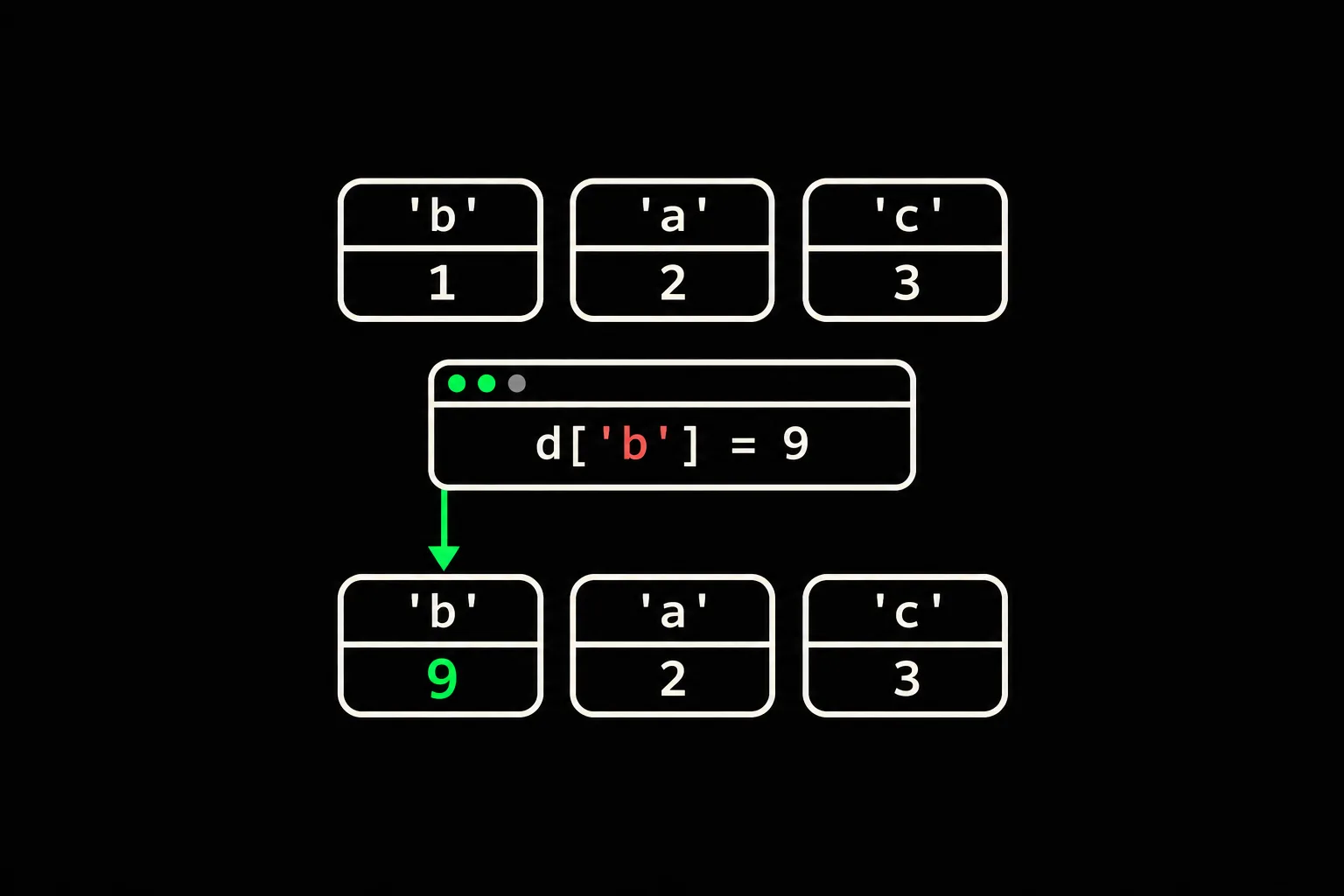
Your dictionary contains the right values, but its keys appear in the wrong order. Before adding a sort, check which order your program needs to preserve: when keys first arrived, or where they belong in a ranking.
In short
Since Python 3.7, dictionaries preserve key insertion order. Updating an existing key's value leaves that key in place; deleting and reinserting it puts it at the end. Insertion order is separate from sorting, and == between ordinary dictionaries ignores order: compare lists of items when order is part of the result's contract.
What order does a dictionary iterate in?
A loop visits keys in insertion order. Using items() gives key-value pairs in the same order.
d = {"b": 1, "a": 2, "c": 3}print(list(d))print(list(d.items()))print(d["a"])$ python3 order.py['b', 'a', 'c'][('b', 1), ('a', 2), ('c', 3)]2The key "b" comes before "a" despite their alphabetical order. Values don't determine key positions either.
Having an iteration order doesn't turn a dictionary into a list. d[0] would look up the integer key 0, rather than the first entry. Access a known value by its key; the KeyError guide explains how to handle a missing key.
The language guarantees insertion order starting with Python 3.7. CPython 3.6 already behaved this way as an implementation detail. If your program must support an older Python, don't assume an ordinary dictionary provides that guarantee.
Does updating a value move its key?
No. Assigning to an existing key replaces its value and keeps its position. A new key goes at the end.
d = {"b": 1, "a": 2, "c": 3}d["b"] = 9print(list(d.items()))d["d"] = 4print(list(d.items()))$ python3 update.py[('b', 9), ('a', 2), ('c', 3)][('b', 9), ('a', 2), ('c', 3), ('d', 4)]This lets a frequency counter preserve first appearance order: incrementing a word you've already seen doesn't move it behind the other words.
What happens when you delete and reinsert a key?
Deleting a key removes its position. Adding it again makes it the last key, even if you store the same value.
d = {"b": 1, "a": 2, "c": 3}del d["b"]d["b"] = 1print(list(d.items()))$ python3 reinsert.py[('a', 2), ('c', 3), ('b', 1)]Step 1 of 3
Initial insertion
- len(d)
- 3
- 1b: 1first key
- 2a: 2
- 3c: 3
Keys arrive in the order b, a, c.
Read all steps
1. Initial insertion
- len(d)
- 3
- 1b: 1first key
- 2a: 2
- 3c: 3
Keys arrive in the order b, a, c.
2. Assign b = 9
- len(d)
- 3
- 1b: 9updated value
- 2a: 2
- 3c: 3
The value changes, b stays ahead of a.
3. Delete and reinsert b
- len(d)
- 3
- 1a: 2
- 2c: 3
- 3b: 9reinserted
After del d["b"] and d["b"] = 9, b is added at the end.
To preserve first appearance, replace the value directly. Deleting and adding changes the contract. Also avoid adding or removing keys while iterating over the same dictionary: iteration may fail or miss entries.
Why can equal dictionaries have different orders?
The == operator compares the entries in two ordinary dictionaries without considering their order. A test that uses only this operator can therefore miss an ordering bug.
first = {"b": 2, "a": 1}second = {"a": 1, "b": 2}print(first == second)print(list(first.items()) == list(second.items()))print(list(first) == list(second))$ python3 equality.pyTrueFalseFalseComparing item lists checks both values and order for the ordinary values used here. Comparing key lists checks their order, but wouldn't catch an incorrect value associated with a key.
When testing a word counter, choose words that arrive in neither alphabetical nor frequency order. With "pong ping ping", the expected order is "pong", then "ping". Dictionary equality alone wouldn't distinguish that result from a sorted output.

tally_words
Write tally_words: count words and return keys in first appearance order. Spaces, tabs, and newlines separate words; case and punctuation remain significant. The contract also requires {} when there are no words.
If tokenization is the sticking point, read about split() versus split(" "). Splitting input and ordering the result are separate decisions.
How do you sort a dictionary without mixing up the results?
sorted(d) produces a sorted list of keys. It leaves the dictionary unchanged. To build another dictionary in that order, use a comprehension.
d = {"b": 2, "a": 1, "c": 2}keys = sorted(d)ordered = {key: d[key] for key in keys}by_value = sorted(d.items(), key=lambda item: item[1])print(keys)print(list(d))print(list(ordered.items()))print(by_value)$ python3 sort.py['a', 'b', 'c']['b', 'a', 'c'][('a', 1), ('b', 2), ('c', 2)][('a', 1), ('b', 2), ('c', 2)]by_value is a list of pairs, rather than a dictionary. For equal values, the stable sort keeps "b" ahead of "c", their order in the original items. To add an explicit second criterion, see sorting Python lists by multiple keys.
Don't sort a result whose contract requires first appearance order. Correct counts can still come in the wrong order.
Is order preserved when you build the dictionary?
Yes, but it follows the source's iteration order. When a sequence of pairs repeats a key, that key keeps its first position and receives its last value.
pairs = [("b", 1), ("a", 2), ("b", 9)]print(list(dict(pairs).items()))print(list(dict.fromkeys(["b", "a", "b", "c"])))print(list(dict.fromkeys([])))$ python3 build.py[('b', 9), ('a', 2)]['b', 'a', 'c'][]Here, dict.fromkeys removes duplicates while preserving first appearances, but doesn't count occurrences. Converting to a set first would lose the guarantee of arrival order. A dictionary can't recover an order that its source doesn't guarantee.
Frequently asked questions
Do I need OrderedDict to preserve order?
An ordinary dict preserves insertion order in Python 3.7 and later. OrderedDict still provides reordering operations such as move_to_end and order-sensitive equality between two OrderedDict objects.
Does update() move an existing key?
No. Updating a key keeps its position. New keys are appended in the order provided by the update source.
Does a dictionary keep alphabetical order?
Only if you insert its keys in that order and subsequent operations preserve it. For alphabetical output, sort explicitly.
Why not just compare list(d)?
That checks keys and their order but ignores values. When a result maps words to counts, compare item lists instead.
Sources