Python split() vs split(" "): whitespace explained
Choose between Python split() and split with a space: repeated whitespace, tabs, empty fields and maxsplit, with runnable examples and a practice exercise.
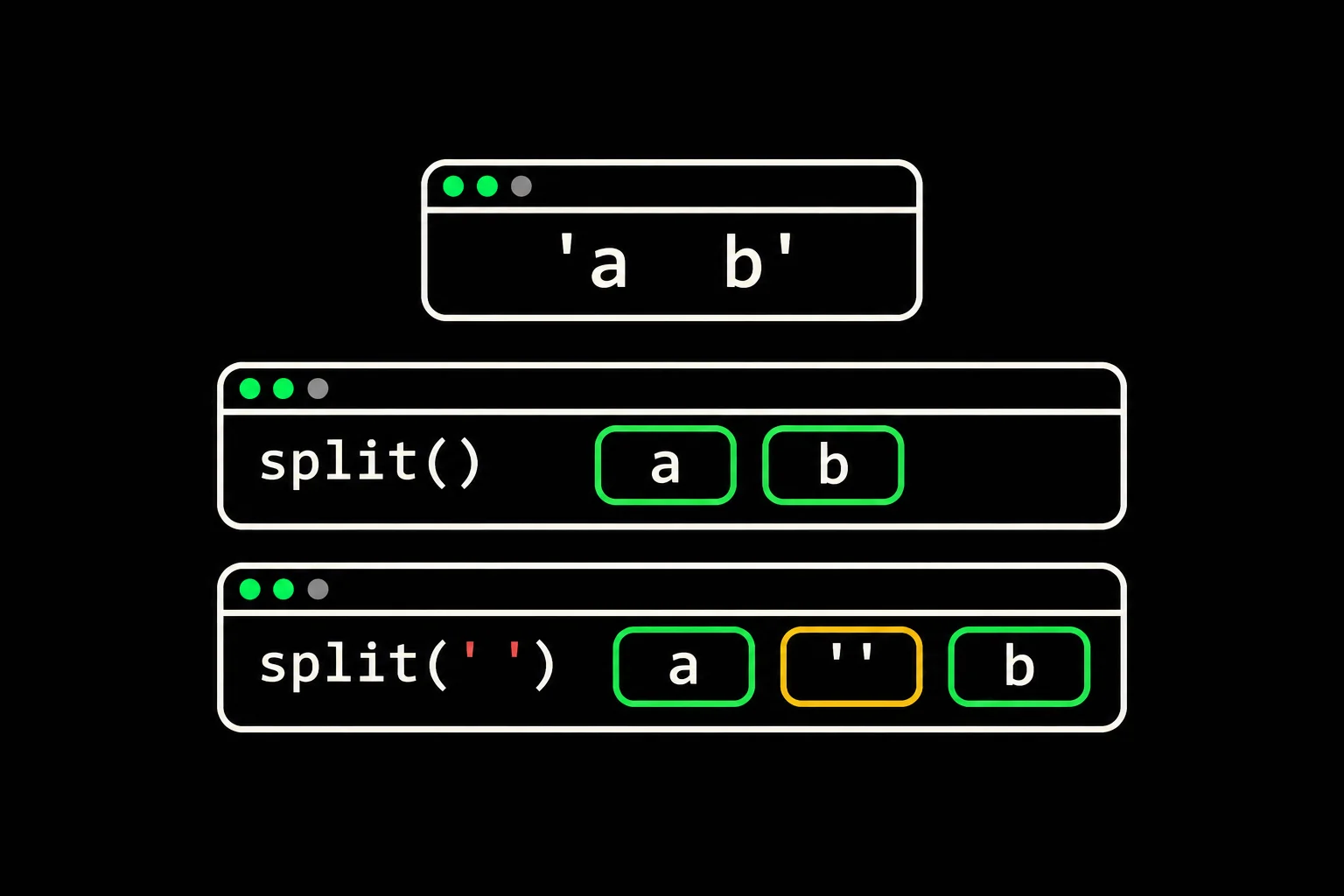
You split a sentence into words and get empty strings between them. Or a tab stays attached to two words. Passing a space to split(" ") changes the splitting rule.
In short
In Python, text.split() groups consecutive whitespace characters and produces no empty fields at the ends. text.split(" ") splits only on the space character: consecutive spaces produce empty fields, and tabs remain inside fields. Use the first to extract whitespace-separated words, and the second when each space is a delimiter whose empty fields matter.
Why does split(" ") leave empty strings?
Each space is a separate delimiter. A string starting with two spaces therefore starts with two empty fields. A tab is a different character from the space you requested.
text = " red blue\tgreen\n"print(repr(text))print(text.split())print(text.split(" "))$ python3 compare.py' red blue\tgreen\n'['red', 'blue', 'green']['', '', 'red', '', 'blue\tgreen\n']The string has two spaces before red, two between red and blue, then a tab and a newline. repr(text) makes those last characters visible; ordinary printing interprets them. With split(), these separators produce three words. With split(" "), blue, the tab, green and the newline stay in the same field.
Calling split() does not change text. It returns a list of substrings in their original order. You can loop over that list directly; you don't need another conversion to a list.
What happens with empty strings and repeated delimiters?
Without an explicit separator, an empty string or a whitespace-only string gives an empty list. With an explicit separator, even an empty string contains one empty field.
for text in ("", " ", "a b", "a\tb"): print(repr(text), text.split(), text.split(" "))print("A,,B,".split(","))$ python3 empty.py'' [] ['']' ' [] ['', '', '', '']'a b' ['a', 'b'] ['a', '', 'b']'a\tb' ['a', 'b'] ['a\tb']['A', '', 'B', '']When each space counts, a b contains three fields: a, an empty string, then b. The same rule explains the four fields in A,,B,. Filtering out all empty fields afterwards can destroy information: a missing field in a row of columns may represent a missing value.
What does the separator represent?
Whitespace between words
text.split()
Group spaces, tabs and newlines without producing empty fields.
An exact delimiter between fields
text.split(sep)
Keep empty fields produced by consecutive delimiters or a trailing delimiter.
If your format is CSV with quotes and commas inside values, use the csv module. split(",") does not interpret those quotes. Likewise, a separator containing several characters is one whole sequence, rather than a set of alternative delimiter characters.
Does split() recognize tabs and nonbreaking spaces?
For str objects, recognized whitespace includes the nonbreaking space U+00A0. The zero-width space U+200B is not included. To investigate an invisible character, inspect its representation and test isspace().
text = "a\u00a0b\u200bc"print(repr(text))print(text.split())print(text.split(" "))print("\u00a0".isspace(), "\u200b".isspace())print(text.encode("utf-8").split())$ python3 unicode.py'a\xa0b\u200bc'['a', 'b\u200bc']['a\xa0b\u200bc']True False[b'a\xc2\xa0b\xe2\x80\x8bc']The first split separates a from b, but keeps b and c together around U+200B. Don't delete invisible characters without checking the input format.
The last line operates on UTF-8 bytes: bytes.split() without arguments recognizes ASCII whitespace rather than all Unicode whitespace. Decode text using its encoding before splitting it to avoid confusing the two rules. An unknown encoding still needs to be resolved when reading the data.
Does maxsplit clean up the rest of the string?
maxsplit limits the number of splits, rather than removing whitespace everywhere. After the last allowed split, the remainder is preserved. With maxsplit=0 and no explicit separator, only leading whitespace is ignored.
text = " red blue green "print(text.split(maxsplit=1))print(text.split(" ", 1))print(text.split(maxsplit=0))print(text.strip().split(" "))$ python3 limit.py['red', 'blue green ']['', ' red blue green ']['red blue green ']['red', '', '', 'blue', '', 'green']With maxsplit=1, the second item keeps its two internal spaces and two trailing spaces. With an explicit space, the first space consumes the only allowed split, leaving an empty first field.
strip().split(" ") removes whitespace at the ends, but does not group spaces in the middle. For a complete split into whitespace-separated words, split() is enough. If you want to preserve the rest of a line after its first field, choose the required behavior using maxsplit instead.
How do you check the words before counting them?
Inspect the word list before adding a frequency dictionary. This separates a splitting mistake from a counting mistake.
text = "Row row\trow!\nRow"words = text.split()print(words)print(len(words))print(text)$ python3 words.py['Row', 'row', 'row!', 'Row']4Row row row!RowHere, len(words) counts four occurrences, rather than three distinct words. Case and punctuation remain intact: Row, row and row! are different keys for a counter that compares words exactly. split() is not a linguistic tokenizer; it removes neither punctuation nor accents.

tally_words
Implement tally_words: the exercise defines words using spaces, tabs and newlines, then asks for their frequencies in first-appearance order. Check repeated whitespace and empty text before counting repeated words.
To choose a dictionary access while counting, read KeyError and missing keys. To order the results afterwards, continue with sorting by multiple keys. Neither step needs to change the definition of a word you started with.
Frequently asked questions
Do you need strip() before split()?
Not for a complete split without arguments: split() already ignores leading and trailing whitespace. With an explicit separator or a limit, decide which fields you want to keep.
Does split(" ") split on tabs?
No. It splits only on the space character. Use split() when spaces and tabs should serve the same purpose.
Why does an empty string sometimes give ['']?
With an explicit separator, the result contains one empty field. Without an explicit separator, no words are found and the result is [].
Can you count words using len(text.split())?
Yes, if a word means a run of non-whitespace characters and you want the number of occurrences. It does not count distinct words or treat punctuation as a separator.
Sources