Python int ValueError: convert and validate an integer
Fix invalid literal for int in Python: signs, empty strings, decimals, isdigit pitfalls and bounded ASCII validation without hiding unrelated errors.
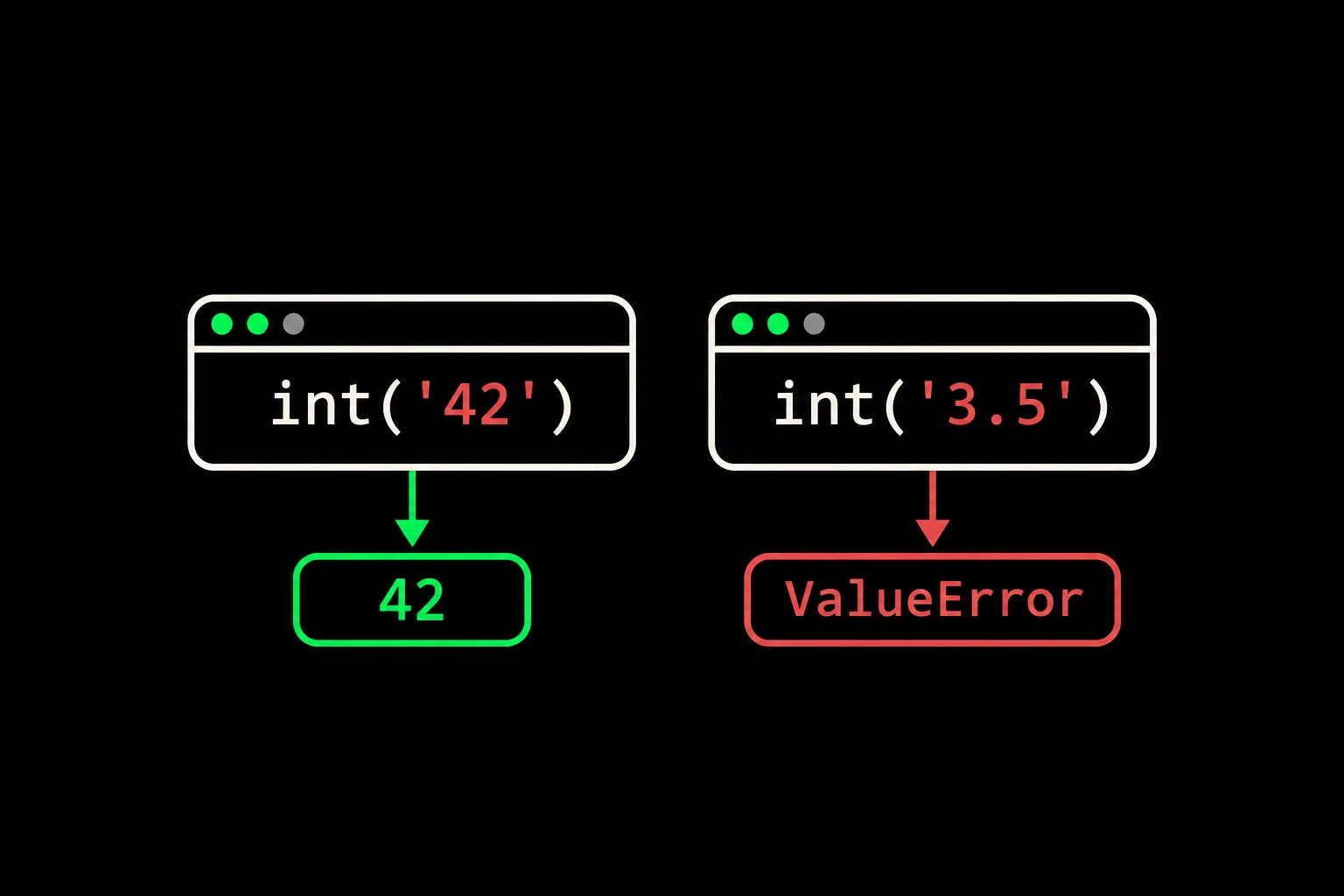
You read a value with input(), then int() stops with ValueError: invalid literal for int() with base 10. Check the actual string before adding an exception handler. A decimal fraction written with a point does not use integer syntax.
In short
int(text) raises ValueError when the string does not represent an integer in the requested base, or exceeds a configured conversion limit. An empty string or "3.5" fails; " -7 " works. For user input, catch ValueError around the conversion, then check the bounds and format your program allows. isdigit() cannot replace conversion: it rejects signs and accepts some characters that int() rejects.
Which strings does int accept?
In the default base 10, Python accepts an optional sign, surrounding whitespace and underscores between digits. Unicode decimal digits work too. This program prints the string, its isdigit() result, and either the converted value or the exception type.
for text in ["42", " -7 ", "+8", "1_000", "١٢", "²", "3.5", "", "0x10"]: try: value = int(text) except ValueError as error: print(repr(text), text.isdigit(), type(error).__name__) else: print(repr(text), text.isdigit(), value)$ python3 formats.py'42' True 42' -7 ' False -7'+8' False 8'1_000' False 1000'١٢' True 12'²' True ValueError'3.5' False ValueError'' False ValueError'0x10' False ValueError'²'.isdigit() is True, but that character is not a decimal digit accepted by int(). Conversely, '-7'.isdigit() is False even though conversion succeeds. Decide which grammar you want: Python's integer syntax or text restricted to particular characters.
Why does int(float(text)) change the result?
Converting through a float allows fractions, then truncates towards zero. The result is an integer, but you have accepted a different input format.
print(int(3.9), int(-3.9))print(int(float("3.9")))try: int("3.9")except ValueError as error: print(type(error).__name__ + ":", error)$ python3 floats.py3 -33ValueError: invalid literal for int() with base 10: '3.9'If your program asks for an integer, silently turning "3.9" into 3 changes the request. If truncation is intended, make that rule explicit. Converting through a float can also lose precision for large integers; Python floor division demonstrates the problem with exact values.
How do you ask again without hiding a bug?
Put only the conversion inside its try block. This program retries after invalid input and stops when standard input closes.
while True: try: text = input('Integer: ') except EOFError: break try: value = int(text) except ValueError: print('Expected an integer') continue print(value) break$ printf 'abc\n42\n' | python3 input.pyInteger: Expected an integerInteger: 42The command sends two lines: abc, then 42. With a pipe, typed characters are not echoed by an interactive terminal, so only the program's messages appear. End of input raises EOFError, handled separately from conversion failure. A bare except: could swallow a keyboard interruption too. Even except Exception would hide unrelated bugs if it surrounded the entire processing step.
How do you require ASCII digits and bounds?
Python's conversion rules may allow more than your contract permits. This helper accepts surrounding whitespace and a sign, but only ASCII digits, with a final value from 0 to 100 inclusive. None means rejection; 0 is still valid.
def parse_ascii_int(text, lower=0, upper=100):    token = text.strip()    digits = token[1:] if token[:1] in ("+", "-") else token    if not digits or not all("0" <= char <= "9" for char in digits):        return None    try:        value = int(token)    except ValueError:        return None    return value if lower <= value <= upper else None
for text in ["0", "100", "101", "-1", " +42 ", "1_0", "١٢", "", "+"]: print(repr(text), parse_ascii_int(text))$ python3 bounds.py'0' 0'100' 100'101' None'-1' None' +42 ' 42'1_0' None'١٢' None'' None'+' NoneDo not use if value to decide whether parsing succeeded: zero is false in a Boolean context. Compare with None. The string is checked before conversion; the ValueError handler still covers a conversion length limit enforced by CPython. This helper expects a string, rather than promising to convert arbitrary objects.
Where does the input fail?
Format rejected
Return None
Empty text, a sign alone, or a character outside ASCII digits.
Conversion rejected
Return None
A conversion limit may still raise ValueError.
Integer obtained
Check 0 <= value <= 100
Accept the value only if it is within the bounds.
What about another base?
Pass the base as int(text, base). Base 0 detects prefixes; the default base 10 does not recognize 0x. Successful conversion still does not guarantee that the text meets an exercise's contract.
print(int("7b", 16))print(int("0x10", 0))try: int("29", 8)except ValueError as error: print(type(error).__name__ + ":", error)print(int(" +12 ", 10))print(int("1_2", 10))$ python3 bases.py12316ValueError: invalid literal for int() with base 8: '29'1212
convert_base_digits
Convert a string between bases 2 and 36. The contract expects a non-negative integer written with digits and letters, and returns invalid for an invalid base or digit. It is stricter than int(): signs, spaces and underscores accepted by Python are outside that format. The result must use uppercase letters.
Frequently asked questions
Do I need strip before int?
Not to remove surrounding whitespace: int() already accepts it. In the ASCII validator above, strip() lets you check the content without that whitespace.
Can I replace invalid input with zero?
Only if your contract requires it. Otherwise, that confuses an error with the integer zero. Ask again or use a distinct result such as None.
Why does except ValueError not catch int(None)?
It raises TypeError. None has a type that does not support this conversion, whereas a malformed string raises ValueError. Check types at the boundary if your application receives more than text.
Sources