Python join: convert a list to a string
Turn a Python list into a string with join. Choose separators, fix non-string errors and preserve empty fields with examples and a coding exercise.
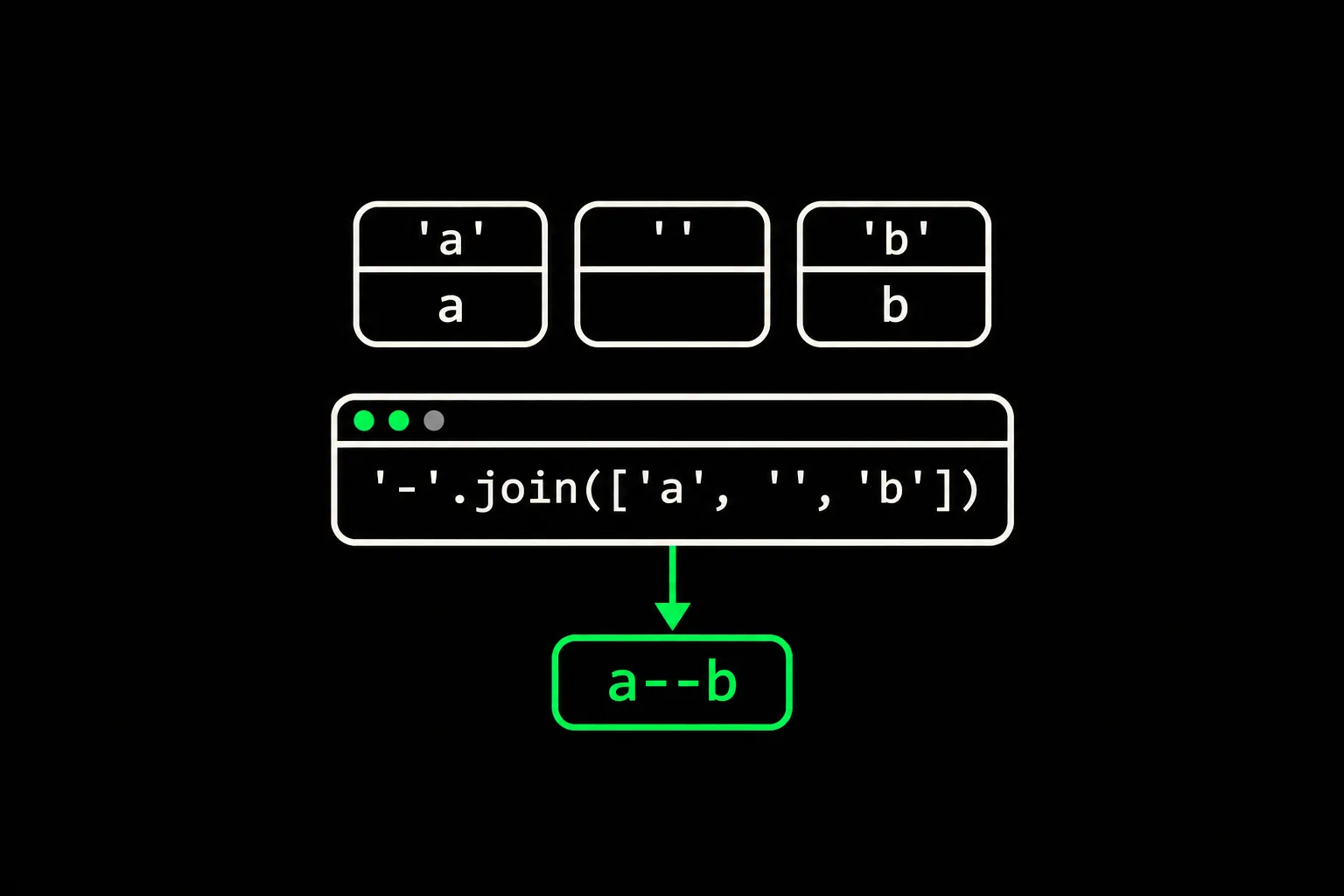
You have a list of text fragments and need one string. The result depends on your separator and on which fragments you keep, especially when some of them are empty.
In short
In Python, separator.join(items) combines an iterable of strings, placing separator between elements. Use an empty separator to rebuild text without inserting characters. Convert numbers explicitly; an empty string still counts as an element and keeps its place between separators.
Why is join called on the separator?
The separator describes what connects two elements. The list supplies the fragments and stays unchanged.
items = ["a", "b", "c"]print("-".join(items))print("".join(items))print(items)$ python3 separator.pya-b-cabc['a', 'b', 'c']The first call inserts two hyphens between three elements. The second inserts nothing between the letters. The last line shows the original list. A tuple of strings works too: the method belongs to the separator string rather than to the collection.
Why does an empty string produce two separators?
An empty element still occupies a position. It contributes no characters, but the separators on either side remain.
for items in ([], [""], ["a"], ["a", "", "b"], ["", "a", ""]): print(repr(items), "=>", repr("-".join(items)))$ python3 empty.py[] => ''[''] => ''['a'] => 'a'['a', '', 'b'] => 'a--b'['', 'a', ''] => '-a-'repr makes empty strings and whitespace visible. An empty list and a list with one empty string produce the same result here. The fourth line has three elements, though: the hyphen before the empty field sits directly beside the one after it.
- element 0a
- separator 0-between 0 and 1
- element 1''emits no characters
- separator 1-between 1 and 2
- element 2b
The diagram builds a--b; the empty field's quotes are not part of the output. If you want to remove empty elements, make that decision before joining. It changes your data as well as its presentation.
How do you fix TypeError when joining integers?
Convert the values you want to display into strings. In this list, the message reports the index of the first non-string element encountered.
items = ["a", 7, "b"]try: print("-".join(items))except TypeError as error: print(type(error).__name__ + ": " + str(error))print("-".join(map(str, items)))values = [0, None, "", 7]print("|".join(str(value) for value in values if value is not None))$ python3 types.pyTypeError: sequence item 1: expected str instance, int founda-7-b0||7map(str, items) converts each element for display. Conversion doesn't decide whether a value should disappear: keeping None would turn it into the text None.
In the final call, value is not None removes only None. It keeps zero and the empty string, which leaves two bars in the result. A truthiness filter such as if value would remove both as well. Pick the condition that matches your data contract.
Can you pass a string or a generator?
Yes. A string supplies its characters; a generator supplies whatever elements it has left to yield.
print("-".join("abc"))parts = (str(number) for number in range(3))print("-".join(parts))print(repr("-".join(parts)))$ python3 iterable.pya-b-c0-1-2''The second call consumes the numbers converted to strings. The final call reuses that exhausted generator, so there are no fragments left. If you need to use the fragments again, collect them in a list before joining.
How do you rebuild text after a transformation?
Collect fragments in a list and join them with an empty separator. Here, each character is uppercased while punctuation and spaces keep their positions.
text = "a-b c!"parts = []for char in text: parts.append(char.upper())print("".join(parts))print(text)$ python3 rebuild.pyA-B C!a-b c!The original string stays unchanged. This pattern separates the transformation rule from final assembly. You also avoid tracking a leading or trailing separator inside the loop.

zigzag_letters
Rebuild a string with letters alternating between lowercase and uppercase. Non-letters stay in place and don't advance the letter counter; the counter continues across spaces. Empty input must produce an empty string.
The exercise checks the returned text without requiring join. Use the method to assemble your characters after applying the alternating-case rule.
Is join enough to create CSV?
Joining with commas doesn't protect commas already inside a field.
fields = ["a,b", "c"]text = ",".join(fields)print(text)print(text.split(","))print(fields == text.split(","))$ python3 fields.pya,b,c['a', 'b', 'c']FalseThe first field contained a comma. After joining, a plain split cannot recover the original two fields. Use the csv module for CSV exports so delimiters and quoting follow the chosen format.
For the reverse direction, read split with whitespace versus an explicit separator. Joining and then splitting needs a contract for the fields; it doesn't guarantee a reversible transformation.
Frequently asked questions
Why doesn't items.join work?
A list has no join method. Call it on the separator string and pass the collection as its argument.
How do you join without adding spaces?
Use an empty separator string. Any spaces already inside the elements remain.
Should you remove empty strings before joining?
Only if they carry no meaning in your data. Removing positional fields shifts the information.
Why does str(items) include brackets?
It produces the list's text representation. To build text from the elements, choose a separator and join their strings.
Sources