Python nested list copy: shallow copy or deepcopy?
Does copying a Python matrix still change the original? Trace shared rows, choose the right copy depth, and test a transformation that leaves its input intact.
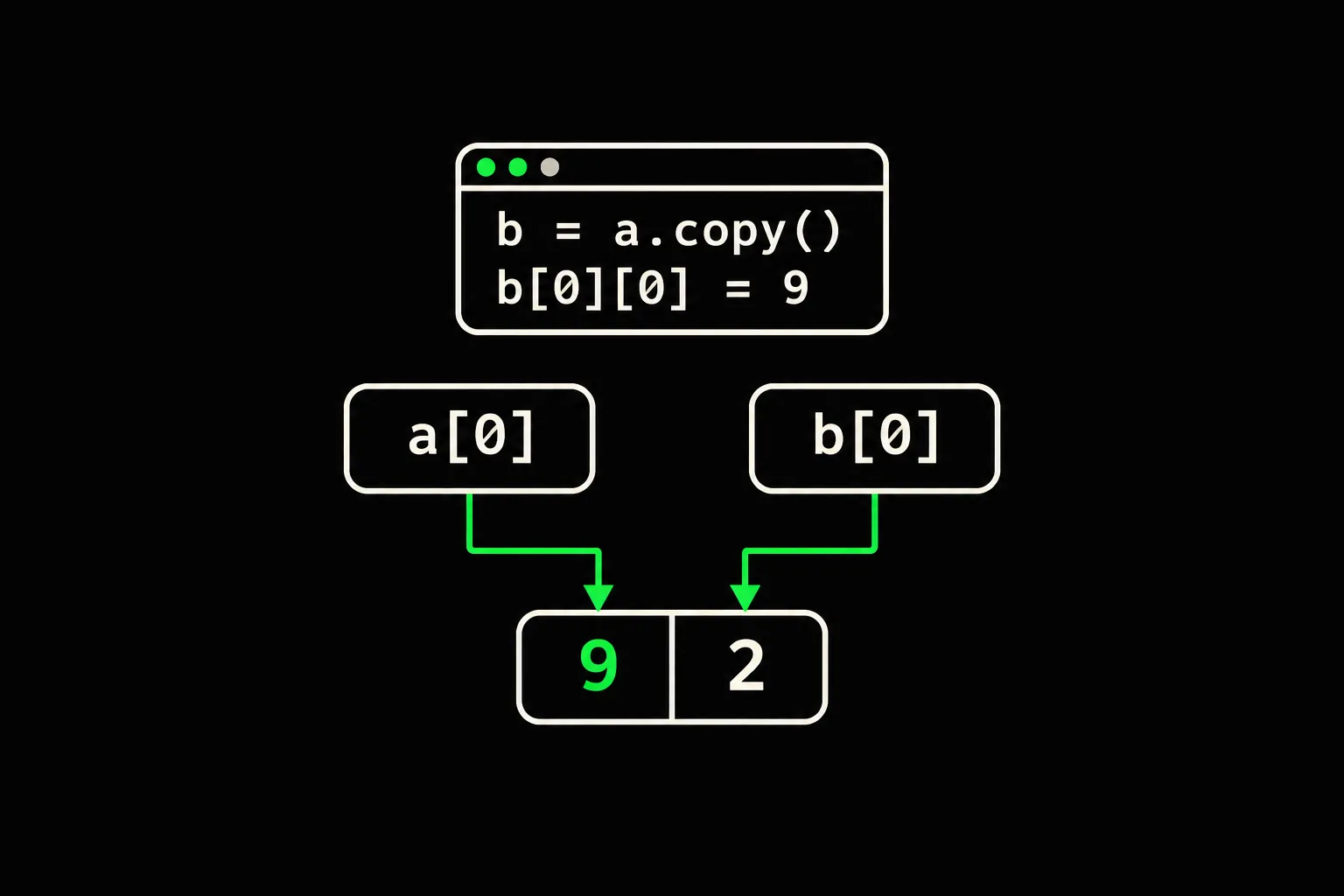
You copy a matrix before editing it, yet a value changes in the original too. Adding another .copy() at random won't tell you which object is still shared. Follow the indices to the list your code actually changes.
In short
To copy a Python list of integer lists before editing its cells, use [row.copy() for row in original]. original.copy(), original[:], and list(original) create a new outer list but keep references to the same rows. If the cells themselves contain lists that you need to change, a recursive copy with copy.deepcopy(original) may be necessary.
Why does copy still change the original list?
A shallow copy duplicates the outer container and fills it with references to the same items. In this case, those items are lists. The two matrices therefore share their rows.
original = [[1, 2], [3, 4]]clone = original.copy()print(clone is original)print(clone[0] is original[0])clone[0][0] = 9print(original)print(clone)$ python3 sharing.pyFalseTrue[[9, 2], [3, 4]][[9, 2], [3, 4]]The first False confirms that a new outer list exists. The next True explains the leak: clone[0] and original[0] refer to the same row. The final assignment replaces a slot in that shared row.
Stack
- listoriginal[0]
- row
- listclone[0]
- row
Heap
The diagram isolates the first row. The outer containers are separate; their items lead to the same object. With clone = original, there wouldn't even be a new container: both names would refer to the same matrix.
How is replacing a row different from editing a cell?
Replacing a row changes a slot in the outer container. Editing a cell, or appending a value to a row, acts on the nested object.
original = [[1, 2], [3, 4]]clone = original.copy()clone[0] = [8, 8]print(original)print(clone)clone[1].append(6)print(original)$ python3 replacement.py[[1, 2], [3, 4]][[8, 8], [3, 4]][[1, 2], [3, 4, 6]]The first row in clone is replaced with a new list. The first row in original stays intact. The second row hasn't been replaced, so appending 6 changes the row seen through both matrices.
Choose the copy for the operation you intend to perform. Rearranging rows in a new container and editing their contents have different requirements. For deletion pitfalls, see removing items while iterating.
How do you copy every row of an integer matrix?
Build a new outer list and a new list for each row. A comprehension does both in one expression.
original = [[1, 2], [3, 4]]clone = [row.copy() for row in original]clone[0][0] = 9clone[1].append(6)print(original)print(clone)print(clone[0] is original[0])$ python3 rows.py[[1, 2], [3, 4]][[9, 2], [3, 4, 6]]False[row[:] for row in original] works too. Copying the rows is enough for a matrix of integers: editing a cell replaces an integer in a list that belongs to the copy. The integer itself cannot be mutated.
This expression also handles empty rows and rows of different lengths. It doesn't enforce a rectangular shape or validate cell types. If your contract requires a rectangular matrix, check that separately.
When do you need deepcopy?
Copying each row doesn't separate lists stored inside its cells. A recursive copy can separate those deeper nested lists from the ones in the original.
from copy import deepcopy
original = [[[1]]]rows = [row.copy() for row in original]rows[0][0].append(2)clone = deepcopy(original)clone[0][0].append(3)print(original)print(rows)print(clone)print(clone[0][0] is original[0][0])$ python3 depth.py[[[1, 2]]][[[1, 2]]][[[1, 2, 3]]]FalseThe 2 reaches the original because the cell still holds a shared list. The 3 stays in the recursive copy. For these ordinary lists, the depth of the object being changed determines what must be separated.
Don't choose deepcopy just because an object is nested. If you already rebuild every row and replace its integers, an extra recursive copy adds nothing to that contract. Custom classes can define their own copying behavior; these examples concern lists and integers.
Why can several rows change even after deepcopy?
deepcopy separates the copy from the original, but it can preserve sharing within the copy. Repetition with [[0, 0]] * 2 creates two references to one row. The recursive copy encounters that row twice and reuses its copy.
from copy import deepcopy
original = [[0, 0]] * 2clone = deepcopy(original)clone[0][0] = 7print(original)print(clone)print(clone[0] is clone[1])print(clone[0] is original[0])$ python3 repetition.py[[0, 0], [0, 0]][[7, 0], [7, 0]]TrueFalseThe last two answers describe different relationships: rows within the copy still share one object, but that object is separate from the original row. A recursive copy doesn't automatically fix how a matrix was built.
If each row must change independently, create it separately from the start:
grid = [[0, 0] for _ in range(2)]grid[0][0] = 7print(grid)print(grid[0] is grid[1])$ python3 creation.py[[7, 0], [0, 0]]FalseFor an existing integer matrix whose rows must be separate, copying each row with a comprehension also creates a row per occurrence, even when two occurrences originally referred to the same object.
How do you test a function that must leave its input unchanged?
Check both the expected result and the input after the call. == compares values; is lets you check object sharing. Equal values before an edit don't prove independence.
This transformation adds 1 to every integer by building new rows:
def add_one(grid):    return [[value + 1 for value in row] for row in grid]
original = [[8, 1], [], [-2]]result = add_one(original)print(result)print(original)print(result[0] is original[0])$ python3 contract.py[[9, 2], [], [-1]][[8, 1], [], [-2]]FalseAlso test an empty input, empty rows, and two positions sharing one row. To check independence after the function returns, change a cell in the result and inspect the input again. The contract should say whether contained objects must be independent or whether it only forbids mutation during the call.

mirror_rows
Reverse each row of a matrix without changing row order or mutating the input. The exercise checks the result and includes a case that inspects the original matrix after the call.
For a transformation that orders items by more than one rule, continue with sorting Python lists by multiple keys.
Frequently asked questions
Does list(original) also copy the inner lists?
No. It creates a new outer container holding the same items. If those items are lists, they remain shared.
Why is a shallow copy enough for a list of integers?
Integers are immutable. Replacing a slot in the new list doesn't change a slot in the old one. For a list of lists, also separate the lists you intend to write into.
Does deepcopy make every row a different object?
Not if several positions refer to one row in the input. It preserves that relationship within the copy. Create or copy each row separately when the contract requires independent rows.
Do I need deepcopy to reverse rows of integers?
Not if you already build new rows containing the integers in the desired order. Check that your operation doesn't change the input rows.
Sources