Makefile in C: how to write one, line by line
A Makefile for a three-file C project, built step by step: rules, CC and CFLAGS, $@ $< $^, .PHONY, clean, -MMD, and the missing separator error.
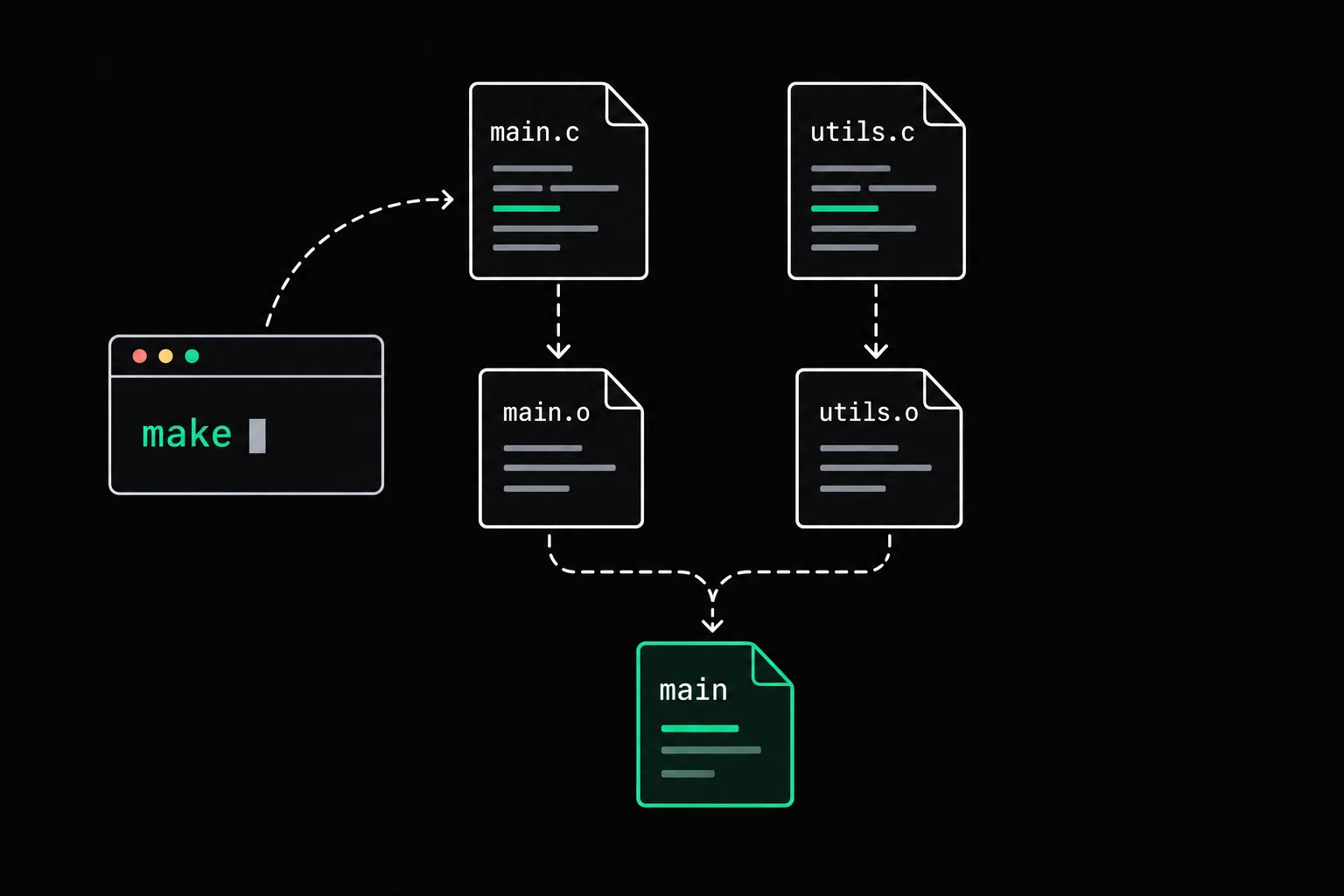
Your project has three .c files and a .h, and after every change you retype gcc -Wall -Wextra main.c stats.c display.c -o scores. Or you wrote your first Makefile and make answers missing separator. Here is that file built one line at a time, with what make actually runs at each step.
In short
A Makefile is a text file, named Makefile, that describes how to build each file of a project from the others. Each rule names a target, its prerequisites, then the commands that produce it, and every command line has to start with a tab character (spaces cause missing separator). make compares modification times and only reruns what is older than its prerequisites. For a C project you write one rule that compiles each .c into a .o, one rule that links them, and a clean target declared .PHONY.
What is a Makefile?
A file of rules that the make(1) command reads from the current directory. Here is the basic shape of a rule:
target: prerequisite1 prerequisite2 command that builds the targetThe target is usually a file to produce. When you type make, it takes the first target in the file, checks its prerequisites (what most people call dependencies), and runs the command if the target does not exist yet or if a prerequisite was modified after it. That is the whole idea: file timestamps compared with each other.
The example project computes the average and the best of a few scores. stats.c holds average and best, display.c holds display, main.c calls display, and all three include the same header:
#ifndef SCORES_H#define SCORES_H
int average(const int *scores, int n);int best(const int *scores, int n);void display(const int *scores, int n);
#endifA first Makefile in two lines
scores: main.c stats.c display.c scores.h gcc -Wall -Wextra main.c stats.c display.c -o scoresThe target is the executable scores. It depends on the three sources and the header, and the command is the one you used to type by hand.
$ makegcc -Wall -Wextra main.c stats.c display.c -o scores$ ./scoresaverage: 13, best: 18$ makemake: 'scores' is up to date.$ touch stats.c$ makegcc -Wall -Wextra main.c stats.c display.c -o scoresmake prints each command before running it. On the second call, scores is newer than all of its prerequisites, so there is nothing to do. touch updates the timestamp of stats.c as if you had just saved it, and make rebuilds. But it rebuilds everything: all three files go through gcc again when only one changed. With three small files you won't notice. With thirty, you will.
missing separator: the tab is mandatory
make requires every command line to start with a tab character. Spaces don't count, even when they line up exactly like a tab on screen. Your editor may have inserted them for you:
$ makeMakefile:2: *** missing separator. Stop.$ cat -A Makefilescores: main.c stats.c display.c scores.h$ gcc -Wall -Wextra main.c stats.c display.c -o scores$Makefile:2 points at the offending line. cat -A makes invisible characters visible: a tab shows up as ^I, and here there is none, only four spaces. As soon as the line starts with eight spaces or more, GNU Make guesses the mistake and tells you:
$ makeMakefile:2: *** missing separator (did you mean TAB instead of 8 spaces?). Stop.The fix is to replace those spaces with a real tab, and to set your editor so it stops converting tabs in Makefiles. With cat -A, the correct file looks like this:
$ cat -A Makefilescores: main.c stats.c display.c scores.h$^Igcc -Wall -Wextra main.c stats.c display.c -o scores$Compiling each file separately
To recompile only what changed, you go through object files. gcc -c stats.c produces stats.o, the machine code for that one file, and a final command links the .o files into an executable. Each .o becomes a target the Makefile knows how to build. Here is the complete Makefile for this step:
CC = gccCFLAGS = -Wall -Wextra -gOBJ = main.o stats.o display.o
scores: $(OBJ) $(CC) $^ -o $@
%.o: %.c scores.h $(CC) $(CFLAGS) -c $< -o $@
clean: rm -f scores $(OBJ)
.PHONY: cleanThe first three lines are variables, which you read with $(NAME). CC (the compiler) and CFLAGS (its options) are the conventional names, the same ones make's built-in rules use, so changing your options means editing one line.
Line 8 is a pattern rule. Read %.o: %.c scores.h as "any .o is built from the .c with the same name, and also depends on scores.h". One rule covers all three files. Its commands use automatic variables, which make fills in for each target:
| Variable | Contains | For stats.o |
|---|---|---|
$@ | the target | stats.o |
$< | the first prerequisite | stats.c |
$^ | all the prerequisites, without duplicates | stats.c scores.h |
In the scores rule, $^ is therefore main.o stats.o display.o and $@ is scores. The result:
$ makegcc -Wall -Wextra -g -c main.c -o main.ogcc -Wall -Wextra -g -c stats.c -o stats.ogcc -Wall -Wextra -g -c display.c -o display.ogcc main.o stats.o display.o -o scores$ makemake: 'scores' is up to date.$ touch stats.c$ makegcc -Wall -Wextra -g -c stats.c -o stats.ogcc main.o stats.o display.o -o scoresAfter touch stats.c, you get one compilation and the link. main.o and display.o are reused as they are:
- stats.cmodified
- stats.othe only object recompiled
- scoresmain.o and display.o reused
What is .PHONY for?
The clean target produces no file. It exists so you can run a command with make clean. The trouble starts the day a file named clean appears in the directory. Without the .PHONY line, make sees that file, notes that this "target" has no newer prerequisite, and does nothing:
$ touch clean$ make cleanmake: 'clean' is up to date.With .PHONY: clean, make knows that clean does not name a file and runs the command every time:
$ touch clean$ make cleanrm -f scores main.o stats.o display.oDeclare as .PHONY every target that does not produce a file with its own name: clean, all, test.
Recompiling when a .h changes: -MMD and -MP
In the previous Makefile, scores.h is written by hand into the pattern rule. Take it out of the rule, and make no longer knows that the .o files depend on the header:
$ touch scores.h$ makemake: 'scores' is up to date.You change a prototype or a struct in scores.h, and the old .o files stay in place, compiled against the old version. The program can then behave inconsistently without a single message. Keeping the list of headers up to date by hand doesn't scale, and GCC can produce it for you. The -MMD option makes it write, while compiling main.c, a file main.d that lists the headers from your project that main.c includes. -MP adds an empty rule for each header, so that make does not stop with an error the day you delete a .h.
CC       = gccCFLAGS   = -Wall -Wextra -gCPPFLAGS = -MMD -MPOBJ      = main.o stats.o display.o
scores: $(OBJ)	$(CC) $^ -o $@
%.o: %.c	$(CC) $(CPPFLAGS) $(CFLAGS) -c $< -o $@
clean:	rm -f scores $(OBJ) $(OBJ:.o=.d)
.PHONY: clean
-include $(OBJ:.o=.d)
CPPFLAGS is the customary name for preprocessor options. $(OBJ:.o=.d) replaces .o with .d throughout the list, and -include reads those files without an error when they don't exist yet, which is the case before the first build.
$ makegcc -MMD -MP -Wall -Wextra -g -c main.c -o main.ogcc -MMD -MP -Wall -Wextra -g -c stats.c -o stats.ogcc -MMD -MP -Wall -Wextra -g -c display.c -o display.ogcc main.o stats.o display.o -o scores$ cat main.dmain.o: main.c scores.hscores.h:$ touch scores.h$ makegcc -MMD -MP -Wall -Wextra -g -c main.c -o main.ogcc -MMD -MP -Wall -Wextra -g -c stats.c -o stats.ogcc -MMD -MP -Wall -Wextra -g -c display.c -o display.ogcc main.o stats.o display.o -o scores$ make cleanrm -f scores main.o stats.o display.o main.d stats.d display.dmain.d contains exactly the rule you would have written by hand, plus the empty scores.h: rule added by -MP. All three sources include scores.h, so all three are recompiled. Add a file or an #include and the list keeps up on its own. This Makefile is enough for most small C projects: for a new file, you add its .o to OBJ, and that's it.
One thing make does not handle for you: a header has to survive being included more than once in the same file, hence the #ifndef SCORES_H at the top of scores.h.

header_guard
Protect counter.h with an include guard (the tests include it twice in the same source file), then implement the three functions it declares, with no global variable and no static: two counters have to stay independent.
Frequently asked questions
Should it be called Makefile or makefile?
Both work. GNU Make looks for GNUmakefile, makefile, then Makefile, in that order, and its manual recommends Makefile, which shows up near the top of a directory listing, next to README. For any other name, pass it with make -f.
What does "make: 'scores' is up to date" mean?
That the target exists and is newer than all of its prerequisites: there is nothing to redo. If you just changed a file and still see this message, a prerequisite is probably missing from your rules, often a .h.
How do I see what make would do without running anything?
make -n prints the commands it would execute, without executing them. It's a quick way to check a pattern rule or your variables before starting a build.
How do I build faster on a multi-core machine?
make -j4 runs up to four commands at the same time. Object files don't depend on each other, so they compile in parallel, and make waits until all of them are ready before linking.
Why does make run the first rule and not clean?
With no argument, make builds the first target in the file, called the default goal. Put the executable's rule first, and utility targets such as clean after it.
Sources