fork in C: wait, waitpid, exec, pipe and dup2
fork duplicates your process, waitpid reads its exit code, exec replaces it, pipe and dup2 connect processes. Every call shown with its output, zombie included.
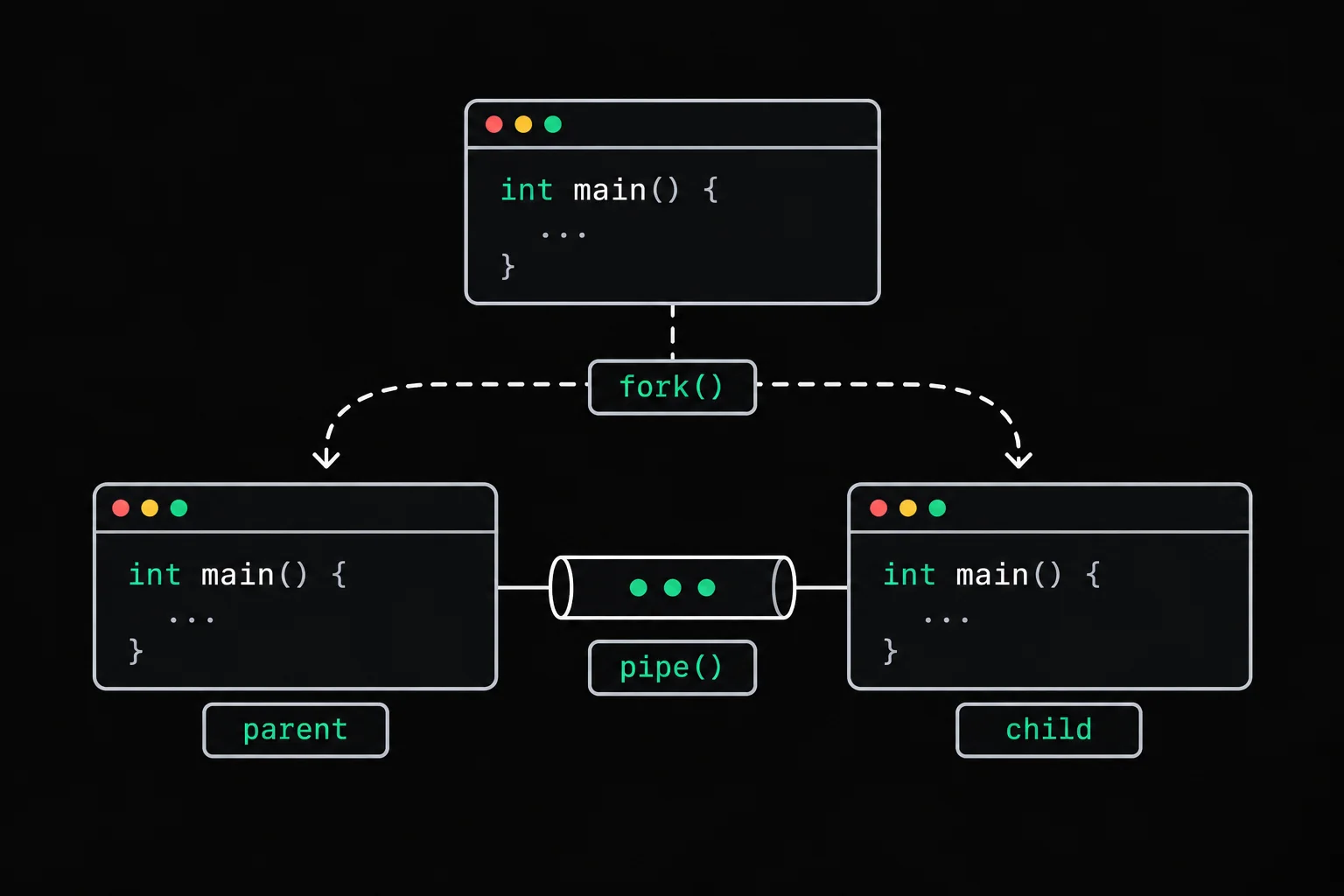
You call fork() once and your program prints the same line twice, in an order that changes from one run to the next. Or the pipe you set up between two commands never returns. Processes in C come down to five calls (fork, waitpid, exec, pipe and dup2) that always fit together the same way, and each one hides a trap that becomes obvious as soon as you run the program.
In short
fork() creates a copy of the calling process: both copies continue after the call, and the return value tells them apart (0 in the child, the child's PID in the parent, -1 on failure). The parent collects the child's end and its exit code with wait or waitpid; otherwise the child stays a zombie. execvp replaces the process's program with another one, and pipe plus dup2 connect one process's output to another's input, like ls | wc -l in the shell.
What does fork do in C?
fork(2) duplicates the process that calls it. When the call returns, two processes are running the same program, at the same line, each with its own copy of memory (variables, heap, printf buffers) and of the open file descriptors. In the code, the only thing that tells them apart is the value fork returned to each.
#include <stdio.h>#include <unistd.h>
int main(void){    printf("before fork: PID %d\n", getpid());    fflush(stdout);
    pid_t pid = fork();
if (pid == -1) { perror("fork"); return 1; } if (pid == 0) printf("child: PID %d, parent %d\n", getpid(), getppid()); else printf("parent: PID %d, child %d\n", getpid(), pid); return 0;}$ gcc -Wall -Wextra fork.c -o fork$ ./forkbefore fork: PID 14parent: PID 14, child 15child: PID 15, parent 1$ ./forkbefore fork: PID 17parent: PID 17, child 18child: PID 18, parent 17before fork appears only once: that line runs before the duplication. Each of the next two lines comes from a different process. Look at the first launch: the child reports parent number 1. The parent had already exited by the time the child called getppid(), and an orphaned process gets adopted by process 1 (here the container's shell; on a regular system, init or an ancestor registered as a "subreaper").
Which runs first, the parent or the child?
Nothing guarantees either. The fork man page promises no order: the system's scheduler decides. This small program only prints who it is:
#include <stdio.h>#include <unistd.h>
int main(void){    if (fork() == 0)        printf("child\n");    else        printf("parent\n");    return 0;}
Run it a thousand times and count which line comes out first:
$ gcc -Wall -Wextra order.c -o order$ for i in $(seq 1000); do ./order | head -n 1; done | sort | uniq -c 14 child 986 parentThe parent wins the vast majority of the time on this machine, but not by a fixed margin: another series of a thousand launches gave 870 to 130. "Usually" is exactly the kind of result that makes your tests pass and breaks the program the day the machine is under load. If the order matters, synchronize the processes: the parent waits for the child with waitpid, or the two talk through a pipe.
Why does printf print twice after fork?
Because fork copies the printf buffer too. This program has a single printf, called before the fork:
#include <stdio.h>#include <unistd.h>
int main(void){ printf("Hello\n"); fork(); return 0;}$ gcc -Wall -Wextra double.c -o double$ ./doubleHello$ ./double | catHelloHelloIn the terminal, one line. Through a pipe, two. When standard output is a terminal, it is flushed at every \n, so "Hello" is already gone by the time fork runs. When it goes to a pipe or a file, it is block-buffered: the text waits in the process's memory, fork duplicates that memory, and each of the two processes flushes its own copy when it exits.
The fix is one line: fflush(stdout); right before fork(), as in fork.c above. The same buffering explains why a printf vanishes before a crash, covered in why printf prints nothing before a crash.
Waiting for the child with wait and waitpid
waitpid(2) blocks the parent until the requested child ends, and stores in an int how it ended. That integer is encoded: you read it with the macros from <sys/wait.h>, never directly.
#include <stdio.h>#include <stdlib.h>#include <sys/wait.h>#include <unistd.h>
int main(void){    pid_t pid = fork();
    if (pid == -1) {        perror("fork");        return 1;    }    if (pid == 0) {        printf("child: exiting with code 3\n");        exit(3);    }
    int status;
if (waitpid(pid, &status, 0) == -1) { perror("waitpid"); return 1; } if (WIFEXITED(status)) printf("parent: child %d exited, code %d\n", pid, WEXITSTATUS(status)); else if (WIFSIGNALED(status)) printf("parent: child %d killed by signal %d\n", pid, WTERMSIG(status)); return 0;}$ gcc -Wall -Wextra status.c -o status$ ./statuschild: exiting with code 3parent: child 15 exited, code 3The four macros you need:
| Macro | What it gives you |
|---|---|
WIFEXITED(status) | true if the child ended normally, through exit or a return from main |
WEXITSTATUS(status) | the exit code, reduced to its low 8 bits; only read it when WIFEXITED is true |
WIFSIGNALED(status) | true if a signal killed the child |
WTERMSIG(status) | the number of that signal, 11 for a SIGSEGV; only when WIFSIGNALED is true |
wait(&status) is the same as waitpid(-1, &status, 0): wait for any one of the children. waitpid lets you target a specific PID, or not block at all with the WNOHANG option. The shell does the same thing after every command: that code is what echo $? prints, and a program killed by a signal shows up as 128 plus the signal number (the 139 of a segmentation fault).

exit-status
The other side of the exit status: a program that adds up its arguments and says nothing on standard output when it fails. The exit code carries all the information (1 with no argument, 2 for an argument that isn't an integer, 3 for an overflow), and write is the only function allowed.
What is a zombie process?
A child that has ended but that its parent hasn't waited for yet. The kernel keeps the bare minimum about it (its PID, its termination status, its resource usage) so that the parent can call wait later. This program creates a child that exits right away, while the parent sleeps for twenty seconds before waiting for it:
#include <stdio.h>#include <sys/wait.h>#include <unistd.h>
int main(void){    pid_t pid = fork();
if (pid == 0) return 0; printf("child %d exited, parent sleeping 20 s without calling wait\n", pid); fflush(stdout); sleep(20); waitpid(pid, NULL, 0); return 0;}$ gcc -Wall -Wextra zombie.c -o zombie$ ./zombie &[1] 14child 15 exited, parent sleeping 20 s without calling wait$ ps -o pid,ppid,stat,cmd PID PPID STAT CMD 1 0 Ss bash --norc --noprofile -i 14 1 S ./zombie 15 14 Z [zombie] <defunct> 17 1 R+ ps -o pid,ppid,stat,cmd$ kill -9 15$ ps -o pid,ppid,stat,cmd PID PPID STAT CMD 1 0 Ss bash --norc --noprofile -i 14 1 S ./zombie 15 14 Z [zombie] <defunct> 20 1 R+ ps -o pid,ppid,stat,cmd$ wait[1]+ Done ./zombie$ ps -o pid,ppid,stat,cmd PID PPID STAT CMD 1 0 Ss bash --norc --noprofile -i 23 1 R+ ps -o pid,ppid,stat,cmdProcess 15 is in state Z, marked <defunct>: it no longer runs and its memory has been released, but it keeps its slot in the process table. Even kill -9 can't remove it, since there is nothing left to kill. It disappears as soon as the parent calls waitpid, here at the end of its nap. A single zombie costs almost nothing. A server that creates one child per request and never waits for them, though, ends up filling the process table, and then no fork succeeds anymore.
So to get rid of a zombie, its parent has to wait for it, or the parent has to exit: the zombies are then adopted by init, which waits for them automatically.
exec: replacing the process's program
fork copies the current program. To run a different one, the child calls a function from the exec family. execvp(3) looks for the command in the directories of the PATH, like the shell does, and takes its arguments from a NULL-terminated array whose first slot is, by convention, the name of the command.
#include <stdio.h>#include <unistd.h>
int main(void){    char *args[] = {"ps", "-o", "pid,cmd", NULL};
printf("PID %d, launching ps\n", getpid()); fflush(stdout); execvp("ps", args); perror("execvp"); return 1;}$ gcc -Wall -Wextra exec.c -o exec$ ./execPID 14, launching ps PID CMD 1 bash --norc --noprofile -i 14 ps -o pid,cmdThe program announces PID 14, then ps lists a process 14 that is now called ps. exec does not create a process: it overwrites the code, the data and the stack of the current process with those of the new program, and keeps the same PID. The lines after execvp only run if the call failed, hence the perror right after it, with no test.
Not everything goes away in the replacement. Open file descriptors stay open, except the ones marked "close-on-exec": that's what lets you redirect a program's output before launching it. The printf buffer, on the other hand, disappears along with the rest of the memory. Without the fflush on line 9, when the output goes to a pipe, the line "PID ..., launching ps" is lost.
execve: No such file or directory
execve, the system call underneath every exec function, does not search the PATH. Passing it "ls" asks for a file named ls in the current directory:
#include <stdio.h>#include <unistd.h>
extern char **environ;
int main(void){    char *args[] = {"ls", NULL};
execve("ls", args, environ); perror("execve"); return 127;}$ gcc -Wall -Wextra execve.c -o execve$ ./execveexecve: No such file or directoryGive it the full path (/bin/ls) or use execvp, which searches the PATH for you.
The same message shows up when the file does exist. The execve man page spells it out: the ENOENT error means that the file, or a script's interpreter, or an ELF executable's interpreter, could not be found. A classic case is a script saved with Windows line endings, \r\n. Here, script.c does the same thing as execve.c but calls execv("./hello.sh", args) on a two-line script that definitely exists:
$ ./scriptexecv ./hello.sh: No such file or directory$ ./hello.shbash: ./hello.sh: cannot execute: required file not found$ head -n 1 hello.sh | od -c0000000 # ! / b i n / s h \r \n0000013The first line asks for the interpreter /bin/sh\r, with a carriage return glued to the name, and that file doesn't exist. sed -i 's/\r$//' hello.sh strips the \r characters, and the script runs.
Recreating ls | wc -l with pipe and dup2
pipe(2) creates a one-way channel in the kernel and returns two descriptors: fd[0] for reading, fd[1] for writing. Created before fork, it is inherited by the children, which can then talk to each other. What's left is to make ls believe that its standard output is that pipe, and that is the job of dup2(2).
- lschild 1, stdout becomes fd[1]
- pipebuffer in the kernel
- wc -lchild 2, stdin becomes fd[0]
- terminalstdout inherited from the parent
#include <stdio.h>#include <stdlib.h>#include <sys/wait.h>#include <unistd.h>
int main(void){    char *ls_args[] = {"ls", NULL};    char *wc_args[] = {"wc", "-l", NULL};    int fd[2];
    if (pipe(fd) == -1) {        perror("pipe");        return 1;    }
    pid_t ls = fork();    if (ls == 0) {        dup2(fd[1], STDOUT_FILENO);        close(fd[0]);        close(fd[1]);        execvp("ls", ls_args);        perror("ls");        exit(127);    }
    pid_t wc = fork();    if (wc == 0) {        dup2(fd[0], STDIN_FILENO);        close(fd[0]);        close(fd[1]);        execvp("wc", wc_args);        perror("wc");        exit(127);    }
close(fd[0]); close(fd[1]); waitpid(ls, NULL, 0); waitpid(wc, NULL, 0); return 0;}$ gcc -Wall -Wextra pipe.c -o pipe$ ls | wc -l20$ ./pipe20dup2(fd[1], STDOUT_FILENO) turns descriptor 1, standard output, into a copy of the pipe's write end. ls writes to its standard output as usual, with no idea that it leads to another process. Once the copy is made, the original descriptors are no longer needed: each child closes them before its execvp, and the parent closes its own before waiting.
The pipe that never ends
Remove the parent's two close calls (lines 37 and 38) and run it again:
$ gcc -Wall -Wextra noclose.c -o noclose$ timeout 5 ./noclose$ echo $?124Nothing is printed, and timeout had to kill the program after five seconds (124 is its code for "timed out"). wc reads until the end of the stream, and a pipe only signals the end of the stream once no process holds its write end open anymore. ls has finished and closed its copy, but the parent still holds fd[1]. So wc waits for data that will never come, and the parent waits for wc: both are stuck forever. The rule, which the pipe(7) page repeats: every process closes the ends it doesn't use, as early as it can.
pipe_chain
Generalize pipe.c to any number of commands. pipe_chain receives an array of commands already split into words, ready for execvp, connects the output of each one to the input of the next, waits for all the children and closes every descriptor as soon as it's no longer needed. Only pipe, fork, dup2, execvp, close, wait and exit are allowed.
Frequently asked questions
How many processes does fork(); fork(); create?
Four in total, the original one included. The first fork gives two processes, and each of them runs the second fork. With n calls in a row, you get 2 to the power n processes, hence the "fork bombs" when the call sits inside an endless loop.
Do the parent and the child share their variables?
No. The child gets a copy of memory as it was at the time of the fork: a variable changed in the child keeps its old value in the parent. To exchange data you need an explicit channel, such as a pipe. File descriptors, on the other hand, refer to the same open files, with the same read position.
What's the difference between wait and waitpid?
wait waits for any child to end. waitpid waits for a specific child (or any child, with -1) and accepts options, such as WNOHANG to check without blocking. wait(&status) is exactly equivalent to waitpid(-1, &status, 0).
How do I get rid of a zombie process?
Not with kill: it has already exited. It goes away when its parent calls wait or waitpid, or when the parent exits, since init then adopts it and waits for it. If zombies pile up, the parent's code is what needs fixing.
Why execvp rather than execve?
execvp searches the PATH for the command and passes along the current environment, like the shell. execve wants an exact path and an explicit environment. To run a system command by its name, execvp saves you the No such file or directory of execve("ls", ...).
Sources