Parse an integer argv argument in C with strtol
Parse an integer from argv without accepting 12px, overflow, or a value outside your program's range, using strtol and errno.
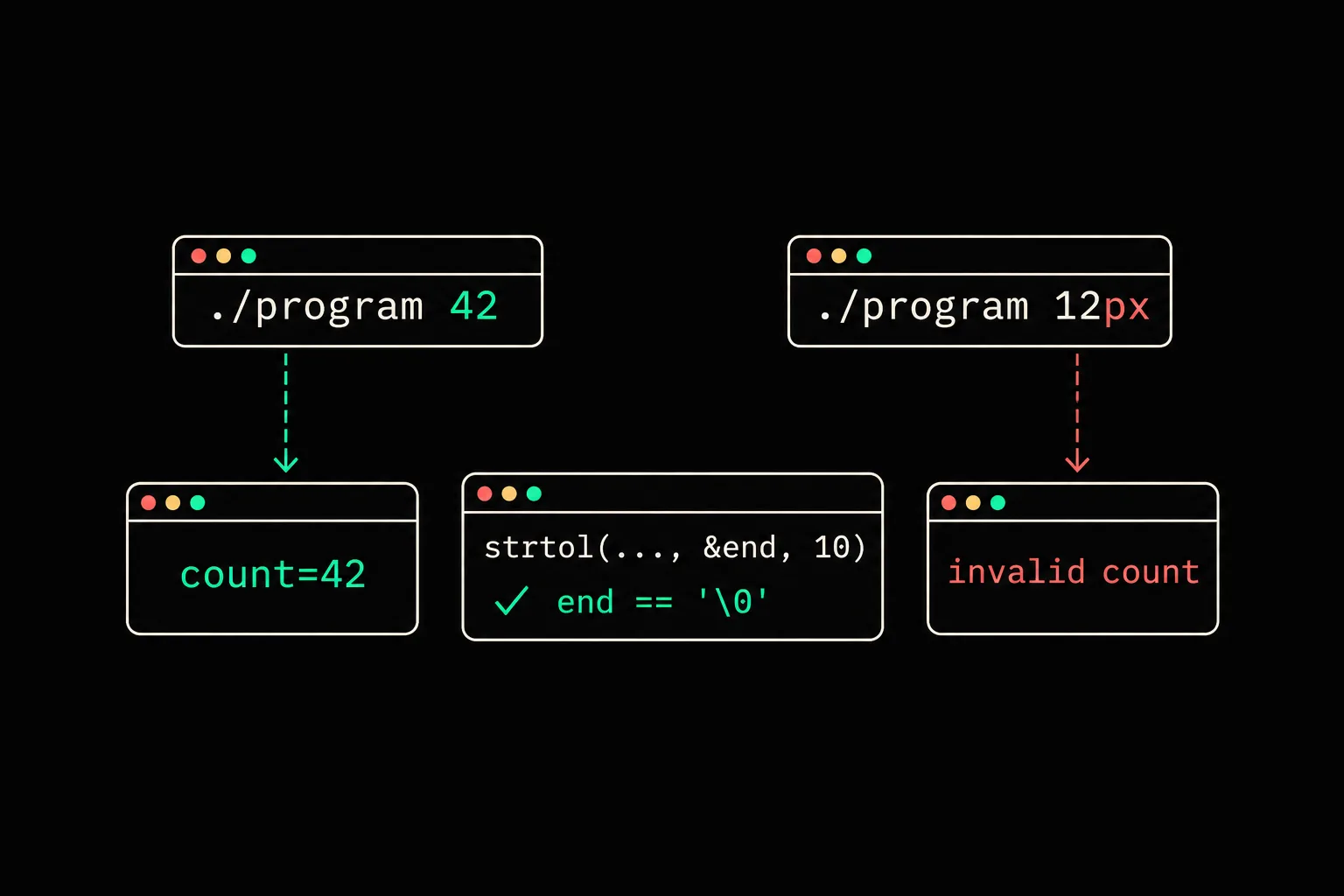
Your program expects a number in ./program 42. Then somebody runs ./program 12px, omits the argument, or passes an integer that is too large. atoi leaves you guessing about what happened. strtol gives you the information needed to decide.
In short
To parse an integer command-line argument in C, call strtol(argv[1], &end, 10) after setting errno to zero. Reject the input when end == argv[1], *end != '\0', errno == ERANGE, or the value falls outside your program's chosen range. Check argc before accessing argv[1].
What is a complete program for ./program 42?
This program requires exactly one argument, accepts a decimal integer from 0 through 100000, then prints it. That range is not a property of strtol; it is the program's rule, placed after the conversion.
#include <errno.h>#include <stdio.h>#include <stdlib.h>
static int parse_count(const char *text, long *count){    char *end;    long value;
    errno = 0;    value = strtol(text, &end, 10);    if (end == text || *end != '\0' || errno == ERANGE)        return 0;    if (value < 0 || value > 100000)        return 0;    *count = value;    return 1;}
int main(int argc, char *argv[]){    long count;
if (argc != 2) { fprintf(stderr, "usage: %s COUNT\n", argv[0]); return 2; } if (!parse_count(argv[1], &count)) { fprintf(stderr, "invalid count: %s\n", argv[1]); return 1; } printf("count=%ld\n", count); return 0;}$ gcc -std=c17 -Wall -Wextra -Werror parse-argv.c -o parse-argv$ ./parse-argv 42count=42$ ./parse-argv 12px; echo status=$?invalid count: 12pxstatus=1$ ./parse-argv 999999999999999999999999; echo status=$?invalid count: 999999999999999999999999status=1$ ./parse-argv -1; echo status=$?invalid count: -1status=1$ ./parse-argv; echo status=$?usage: ./parse-argv COUNTstatus=2argc includes the program name. With ./parse-argv 42, it is 2 and argv[1] points at the string "42". When argc is 1, reading argv[1] is already a bug.
- argumentthe string passed to the program
- strtolreads digits and sets end
- end + errnono remaining text and no overflow
- countthe 0..100000 rule is satisfied
Why is atoi not enough for an argument?
atoi("0") and atoi("hello") both return 0 on common libraries. Its return value cannot tell whether the caller asked for zero or whether no conversion happened. Its manual entry also explains the overflow problem.
strtol retains the value and gives you a pointer to the first character it did not consume. With 12px, value is 12 but end points at p. Testing *end != '\0' turns that remaining text into a rejection. That check stops 12px being treated as 12.
int count = atoi(argv[1]);char *end;long count = strtol(argv[1], &end, 10);if (end == argv[1] || *end != '\0') return 1;atoi cannot distinguish an overflow either. strtol returns LONG_MAX or LONG_MIN and sets errno to ERANGE instead. Set errno = 0 immediately before the call: a successful function call does not have to reset it.
In what order should you check end and errno?
The order in the program is deliberate. end == text asks whether any digit was read. errno == ERANGE asks whether the number fits in a long. *end != '\0' asks whether the whole string was a number. The final comparisons express the program's own rule, here a bounded nonnegative count.
strtol accepts leading whitespace. That is rarely a problem for a command-line argument because the shell already separates arguments. If your format must reject it, check the first character with isspace((unsigned char)text[0]) before the call.
The program chooses base 10. Passing zero asks strtol to infer a base from a prefix: 0x for hexadecimal, and other prefixes can depend on the library and standard you target. For a quantity users must type in decimal, 10 avoids that ambiguity.

strtol
Write gm_strtol, your own version of the function. The exercise makes you advance the end pointer and handle bases, the same two pieces of information this program uses to decide.
Can I store the result in an int?
Yes, but only convert to int after comparing against INT_MIN and INT_MAX. strtol promises that its result fits in a long, not in every smaller type. If your program needs an unsigned value or a wider range, choose a matching function such as strtoul or strtoll, then keep the same checks.
For an answer read at the terminal, use the same method after reading one complete line. Why fgets skips a line after scanf shows that case and why it helps to separate reading from conversion.
Frequently asked questions
Why does strtol return 0 for abc?
When it cannot read any digit, strtol returns 0 and leaves end at the start of the string. The value alone is ambiguous, so compare end with the original argument.
Is 12 followed by a space accepted?
Not by this program, because the space remains under *end. You can permit trailing whitespace by skipping it with isspace before testing *end, but make that an explicit rule.
Why not use sscanf?
sscanf can read an integer, but strtol makes the stopping position and overflow straightforward to check for a whole string. Those are the conditions this program needs.
Should I call strtol with base 0?
Not for a decimal count. Pass 10 when 08 must mean eight and 0x10 must be rejected. Choose 0 only if your interface documents the prefixes it accepts.
Sources