Auto-grading programming exercises: how it works
How an autograder works, how to write tests that catch real mistakes, the traps to avoid, and how to create your own auto-graded C or Python exercises.
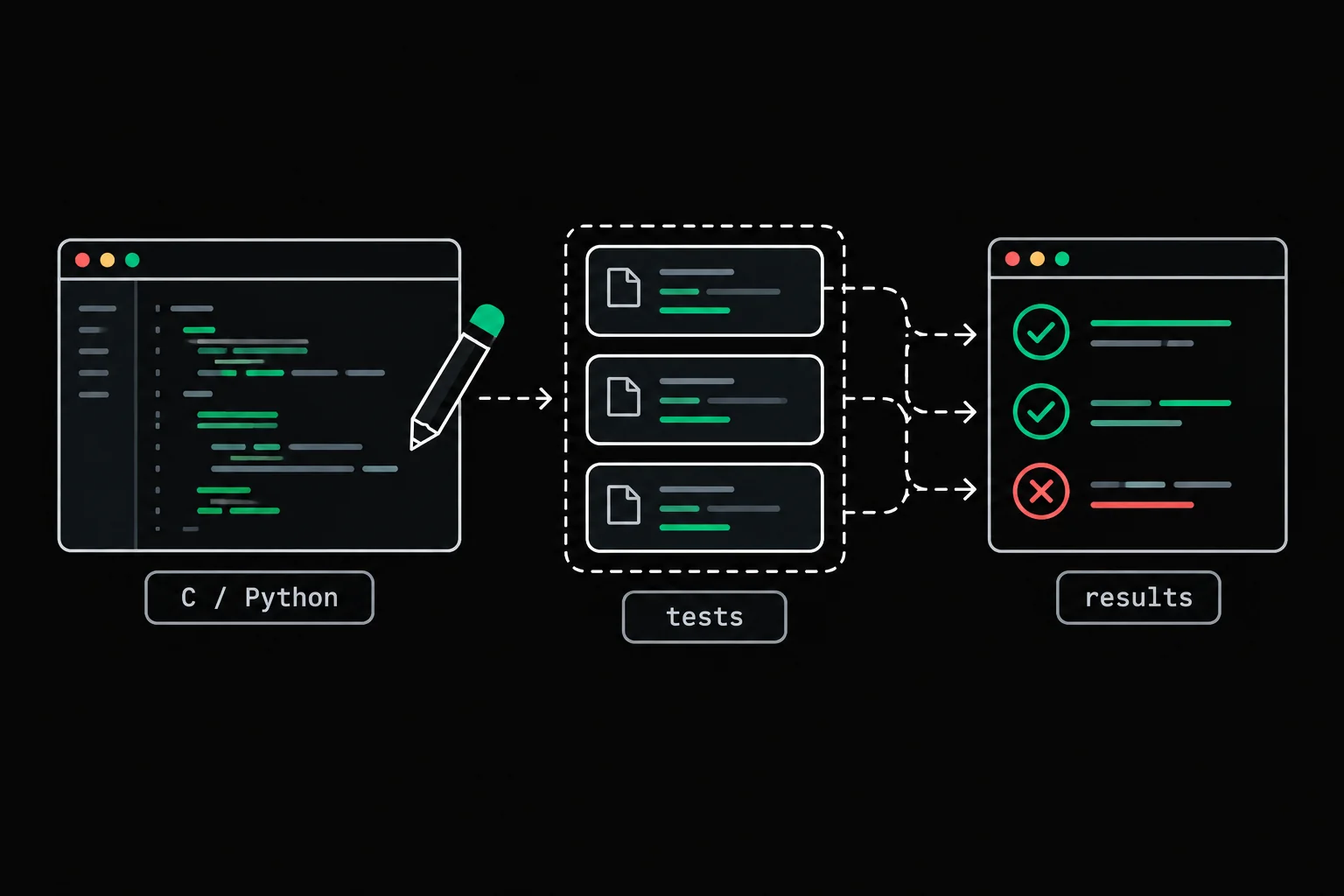
Grading thirty submissions of the same C exercise by hand means running the same program thirty times on the same inputs and eyeballing the differences. A machine does that better than you, faster and without getting tired, on one condition: the tests have to be good. If you teach, train people or run a workshop, here is how automatic grading works and how to write tests that hold up.
In short
An autograder compiles the submitted code, runs it on a series of tests and compares the result with what is expected: the output and the exit code for a program, the returned value for a function called by a small hidden program (the harness), and memory with Valgrind if you ask for it. Its worth depends entirely on the tests: edge cases, several tests so that a hard-coded answer doesn't pass, and failure messages that show the expected and the actual result. The Grademe Studio applies this approach to exercises in C or Python, which you keep private, share by link or submit to the public catalog.
How does automatic grading work?
It does what you would do by hand: compile, run, compare. An automatic grader, often called an autograder, starts by compiling the submitted file, preferably with warnings turned into errors (-Wall -Wextra -Werror), then runs each test separately, with a time limit so that an infinite loop counts as a failure instead of blocking the grading. What it compares depends on the kind of test:
| Kind of test | What the test provides | What gets compared |
|---|---|---|
| Program | arguments, standard input | standard output byte for byte, the exit code |
| Function | a call, for example clamp(42, 0, 10) | what the harness prints of the returned value |
| Memory | one of the tests above, run under Valgrind | invalid accesses and leaks |
The harness is the only slightly technical piece. To grade a function rather than a program, you compile the student's file together with a second file, written by the teacher, that contains main. For a function int clamp(int v, int lo, int hi), that main runs, for example, printf("%d\n", clamp(42, 0, 10));: the function becomes a program whose output gets compared, and the student never needs to see that file.
What does a minimal grader look like?
A script a few lines long: compile, run each test, compare byte for byte. Take a tiny exercise: the program upper prints its argument in uppercase, followed by a newline, and with no argument it prints only the newline. This script compiles a submission and puts it through five tests:
#!/bin/bash# Compile the submission, then compare its output and exit code with the expected ones.gcc -Wall -Wextra -Werror "$1" -o upper || exit 1
failures=0run_test() {    local name=$1 expected=$2    shift 2    timeout 2 ./upper "$@" > output.txt 2> /dev/null    local code=$?    if [ "$code" -eq 0 ] && cmp -s output.txt <(printf '%s' "$expected"); then        echo "OK    $name"    else        echo "FAIL  $name (exit code $code)"        echo "      expected: $(printf '%s' "$expected" | cat -e)"        echo "      got:      $(cat -e output.txt)"        failures=$((failures + 1))    fi}
run_test "one word"          $'HELLO\n'   hellorun_test "already uppercase" $'ABC\n'     ABCrun_test "digits, symbols"   $'A1-B2!\n'  'a1-b2!'run_test "empty string"      $'\n'        ''run_test "no argument"       $'\n'exit "$failures"
cmp -s compares two streams byte for byte, timeout 2 stops the program after two seconds, and cat -e prints a $ at the end of each line, which makes spaces and newlines visible. Here are two submissions; the first one forgets to check that there is an argument:
#include <ctype.h>#include <stdio.h>
int main(int argc, char **argv){ (void)argc; for (int i = 0; argv[1][i] != '\0'; i++) putchar(toupper((unsigned char)argv[1][i])); putchar('\n'); return 0;}#include <ctype.h>#include <stdio.h>
int main(int argc, char **argv){ if (argc > 1) for (int i = 0; argv[1][i] != '\0'; i++) putchar(toupper((unsigned char)argv[1][i])); putchar('\n'); return 0;}$ ./check.sh submission1.cOK one wordOK already uppercaseOK digits, symbolsOK empty string./check.sh: line 6: 30 Segmentation fault timeout 2 ./upper "$@" > output.txt 2> /dev/nullFAIL no argument (exit code 139) expected: $ got: $ echo $?1$ ./check.sh submission2.cOK one wordOK already uppercaseOK digits, symbolsOK empty stringOK no argument$ echo $?0The first submission passes the four "normal" tests. Only the last one, with no argument, catches it: argv[1] is then NULL, the program crashes, and exit code 139 (128 + 11, the number of SIGSEGV) says so without ambiguity. A grader that only tested ordinary words would have given 5 out of 5 to a program that crashes. That crash is explained in detail in Segmentation fault (core dumped) in C.
The memory check relies on a Valgrind option made for exactly this, --error-exitcode: if Valgrind finds an error, it returns that code instead of the program's own. With --leak-check=full, a leak counts as an error. This program copies a string and forgets to free it:
#include <stdio.h>#include <stdlib.h>#include <string.h>
int main(void){    char *copy = strdup("welcome");
printf("%s\n", copy); return 0;}$ gcc -Wall -Wextra -g leak.c -o leak$ ./leak; echo "code $?"welcomecode 0$ valgrind -q --leak-check=full --error-exitcode=42 ./leak; echo "code $?"welcome==15== 8 bytes in 1 blocks are definitely lost in loss record 1 of 1==15== at 0x488545C: malloc (vg_replace_malloc.c:446)==15== by 0x495ED23: strdup (strdup.c:42)==15== by 0x400697: main (leak.c:7)==15== code 42The output is right, and so is the program's exit code; only Valgrind's 42 flags the 8 bytes that were never freed, with the line that allocated them. To read this kind of report line by line, see how to read a Valgrind report and the valgrind(1) entry.
How do you write good tests?
Start from the instructions and look for what breaks. A good test suite follows a few simple rules:
at least one test per sentence of the instructions, and no test on a behavior the instructions don't ask for: the student can't guess a rule that isn't written anywhere;
edge cases first: empty string, a single element, no argument, the largest and smallest values (
INT_MAX,INT_MIN), an overflow that happens partway through a computation;several tests per behavior, some of them hidden, so that a program that prints the example's answer without computing anything doesn't pass;
a name for each test that says what it checks ("no argument" rather than "test 5"), and on failure, the expected and actual results side by side.
The edge-case rule is the one that pays off most. In the example above, it's the only test out of five that tells a correct submission apart from one that crashes.

exit-status
To see these rules from the student's side: the program adds up its arguments and reports each failure through its exit code, 1 with no argument, 2 for an invalid argument, 3 for an overflow, including when it's the running total that overflows. The tests cover INT_MIN, INT_MAX, a lone sign, 12x, and each one carries a name that says what it checks.
What are the traps of automatic grading?
Three come up again and again: tests stricter than the instructions, output that varies from one run to the next, and submissions that get around the tests instead of solving the exercise.
Tests that are too strict about spaces
A byte-for-byte comparison forgives nothing. Here is a third submission, correct in substance, that prints a space before the newline:
$ ./check.sh submission3.cFAIL one word (exit code 0) expected: HELLO$ got: HELLO $FAIL already uppercase (exit code 0) expected: ABC$ got: ABC $...FAIL no argument (exit code 0) expected: $ got: $Five failures for one space. That's intended if the instructions specify the exact format, and unfair otherwise. There are two honest options: spell out in black and white what is expected, final newline included, and show the examples with cat -e; or normalize whitespace before comparing, and say so as well. The worst is the mix of the two, vague instructions graded by a strict comparison. In our view, the first option is the right one in C: producing exactly the requested format is part of the exercise.
Output that changes from one run to the next
A test can only compare what is reproducible. An address printed with %p, a variable read before it's initialized, a random generator seeded with the time (srand(time(NULL))), or the time itself can give different output on every run: never put them in the expected output. The same goes for the order of lines when a program mixes write and printf: printf's output goes through a buffer and can come out after write's, even though the code calls them in the opposite order. The putchar(3) entry shows the case, and why printf prints nothing before a crash explains the buffer.
Cheating, or tests that get bypassed
The two classic workarounds are predictable. The first is printing the examples' answers directly: hidden tests, on top of the ones shown in the instructions, are enough to make that useless. The second, for an exercise that asks you to rewrite a library function, is calling the real one. The functions a file calls without defining them appear in its symbol table, which nm(1) displays:
$ gcc -c length.c$ nm -u length.o U strlen$ gcc -c submission2.c$ nm -u submission2.o U putchar U toupperU stands for "undefined": the symbol is used here and defined somewhere else. A length that calls strlen gives itself away in one line, and a grader can reject any submission that calls a function missing from an allowed list.
How do you create your own graded exercises with the Grademe Studio?
The Studio does all of the above, with no script to write and no server to maintain. You create an exercise of type program or function, in C or Python, and you work in the same workspace as your students: instructions on the left, code in the middle, tests on the right.
- Instructionswhat the code receives and must produce
- Reference solutionprivate, it's the source of truth
- Teststhe reference's output, accepted by you
- Starter codedifferent from the solution
- Sharingprivate, link or public
The difference from the script is that you don't write the expected output by hand. You write a test's input (arguments and standard input for a program, a call for a function), the Studio runs your reference solution, and you accept its output and exit code as the expected ones. The field stays editable, but a test only counts as passing if your solution produces exactly what is expected. If you then change the solution, the results you already have are marked as stale until the next run, so that no green check survives a change. For a C function, the harness is generated from the signature and prints the returned value according to its type; for a type it can't print, you write the test as statements.
Each test can be shown in the instructions as an example, or stay hidden: the student then sees whether it passes and how it fails (crash, timeout, exit code, memory verdict), but not the input, the expected output or their own output. In C, a per-test toggle adds the Valgrind memory check (for a function exercise, it covers all the calls together), and you can restrict the allowed functions and headers. Submissions are compiled and judged by the same grader as the exercises in the Grademe catalog, with the same options, but they earn no XP.
Before you share, the Studio checks four things: complete instructions (title, summary, directions, expected file, and the signature for a function), a solution, at least two tests, all accepted and passing with the current version of the solution, and starter code that differs from the solution, so it doesn't give the answer away. When you share, the whole test suite runs again on the grader.
An exercise always starts private. You can share it by link as soon as it's ready, or submit it to the public catalog after certifying that you have the right to distribute its content.
Sharing has three levels. Private: only you can open it. By link: anyone who has the link can open it and attempt it, with a free account to run their code; the link isn't restricted to the students you send it to. Public: the exercise is listed in the community catalog after an automated five-point review (instructions, tests, solution, starter code, originality); if you think the review got it wrong, you can appeal it and ask for a person to take a look. Editing a public exercise sends it back to link sharing until it's reviewed again. And as soon as someone else has passed it, what defines passing is frozen, so that a pass keeps the same meaning: the tests (inputs, expected outputs and exit codes, Valgrind option), the signature, the expected file, the allowed functions and headers. The instructions, the starter code and the solution stay editable; to change the rest, you duplicate the exercise.
You can also assemble your exercises into a challenge: levels (up to ten), each holding up to five exercises from which every attempt draws one, a duration from 15 minutes to 4 hours, and the number of levels to pass. To share a challenge by link, the exercises in it must be shared or public; to publish it, they must all be public.
To avoid any misunderstanding on the teaching side: for each shared exercise, the Studio tells you how many signed-in people, not counting you, opened it, attempted it and passed it. There are no classes, no student groups and no grades to export. And the Studio works on the website only, not in the Grademe command-line tool.
Frequently asked questions
What's the difference between a program test and a function test?
A program test runs the executable with arguments and standard input, then compares its output and exit code. A function test compiles the student's code with a harness, a hidden main that calls the function and prints what it returns.
How many tests does an exercise need?
There's no magic number, but never just one: a hard-coded answer always passes a single test. The Studio requires at least two. Count at least one test per rule in the instructions, plus one per edge case.
How do I stop a student from printing the expected answers directly?
With hidden tests, on top of the visible examples. A program that copies the outputs from the instructions fails on inputs it has never seen.
Can I reuse an exercise from a textbook or another school in the Studio?
Only if you have the right to distribute it, including by link. For private use, the exercise stays visible to you alone. Before publishing to the public catalog, the Studio asks you to certify that you wrote it or have the right to share it, and crediting the author doesn't replace their permission.
Can the tests check for memory leaks?
Yes, in C, by running the test under Valgrind with --leak-check=full and --error-exitcode: a leak then makes the test fail even when the output is right. In the Studio, it's a per-test toggle.
Sources